> ## Documentation Index
> Fetch the complete documentation index at: https://docs.ahaslides.com/llms.txt
> Use this file to discover all available pages before exploring further.
# 适用于 RingCentral Events 的 AhaSlides 应用
> 在 RingCentral Events(前身为 Hopin)中安装 AhaSlides 应用,在 Stage、Session、Expo Booth 或 Reception 中开展投票、测验和词云。
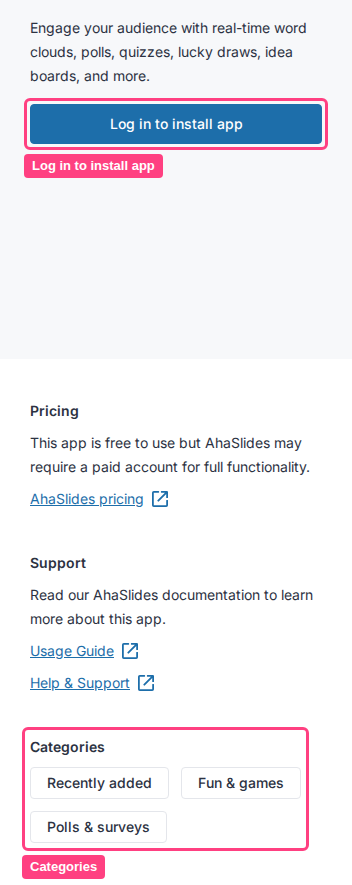
RingCentral Events(前身为 Hopin)是用于实时举办线上会议、网络研讨会和其他商务活动的虚拟及混合活动软件。其 App Store 将 AhaSlides 列在 **趣味与游戏** (Fun & games) 和 **Polls & surveys** 分类下,因此您可以直接在 RingCentral Events 活动中开展互动演示,与会者无需离开活动页面即可回应。
适用于 RingCentral Events 的 AhaSlides 应用是第三方集成,通过 RingCentral 自己的 [App Store 列表](https://apps.events.ringcentral.com/apps/aha_slides)提供。具体的菜单步骤和名称可能会在 RingCentral 一侧发生变化,如果下文内容与您看到的不一致,请查看该列表本身或咨询 RingCentral 支持,了解当前的 App Store 布局。
## 开始之前
要在 RingCentral Events 上使用 AhaSlides,您需要同时具备:
* **一个已开通付费方案的 RingCentral Events 账户。**
* **任意 AhaSlides 方案**(免费方案也可以;部分高级 AhaSlides 功能需要付费订阅)。
AhaSlides 应用可以嵌入 **Stage**、**Session**、**Expo Booth** 或 **Reception** 区域的活动面板中。RingCentral Events 与 AhaSlides 之间不会交换任何与会者数据。
## 在 RingCentral Events 中运行 AhaSlides
像往常一样制作您想在活动期间运行的演示文稿。
在 RingCentral Events 的组织者控制面板中,打开 **App Store**,在 **趣味与游戏** (Fun & games) 或 **Polls & surveys** 下找到 AhaSlides,并将其添加到您的组织。
 在您的 AhaSlides 账户中,找到要使用的演示文稿并复制其**访问码**,它会直接显示在控制面板上。
在活动的控制面板中,打开您想要的 **Stage**、**Session**、**Expo Booth** 或 **Reception** 的活动面板,添加 AhaSlides 应用,并粘贴演示文稿的访问码以完成连接。
现在,您的与会者会在该活动区域内看到 AhaSlides 标签页,并可实时回应您的演示文稿。
**有疑问?**
请联系我们的支持团队:如果您已登录,请使用控制面板右下角的聊天图标;如果尚未登录,请[在此联系我们](https://ahaslides.com/contact-us/),或发送邮件至 [hi@ahaslides.com](mailto:hi@ahaslides.com)。
想与其他用户交流?欢迎加入 [AhaSlides 社区](https://community.ahaslides.com/),分享使用技巧、提出功能建议,了解其他人如何与观众互动。
This documentation is built and hosted on [Mintlify](https://mintlify.com), a developer documentation platform.
在您的 AhaSlides 账户中,找到要使用的演示文稿并复制其**访问码**,它会直接显示在控制面板上。
在活动的控制面板中,打开您想要的 **Stage**、**Session**、**Expo Booth** 或 **Reception** 的活动面板,添加 AhaSlides 应用,并粘贴演示文稿的访问码以完成连接。
现在,您的与会者会在该活动区域内看到 AhaSlides 标签页,并可实时回应您的演示文稿。
**有疑问?**
请联系我们的支持团队:如果您已登录,请使用控制面板右下角的聊天图标;如果尚未登录,请[在此联系我们](https://ahaslides.com/contact-us/),或发送邮件至 [hi@ahaslides.com](mailto:hi@ahaslides.com)。
想与其他用户交流?欢迎加入 [AhaSlides 社区](https://community.ahaslides.com/),分享使用技巧、提出功能建议,了解其他人如何与观众互动。
This documentation is built and hosted on [Mintlify](https://mintlify.com), a developer documentation platform.