> ## Documentation Index
> Fetch the complete documentation index at: https://docs.ahaslides.com/llms.txt
> Use this file to discover all available pages before exploring further.
# 템플릿 라이브러리 둘러보고 사용하기
> 퀴즈, 투표, 아이스브레이커, 팀 회의용 인터랙티브 프레젠테이션을 찾아 몇 분 만에 내 세션에 맞게 수정하세요.
AhaSlides 템플릿 라이브러리는 완성된 템플릿을 다운로드하여 프레젠테이션에 맞게 수정할 수 있는, 시간을 절약해 주는 기능입니다.
## 템플릿 라이브러리 열기
로그인한 후 왼쪽 패널로 이동합니다.
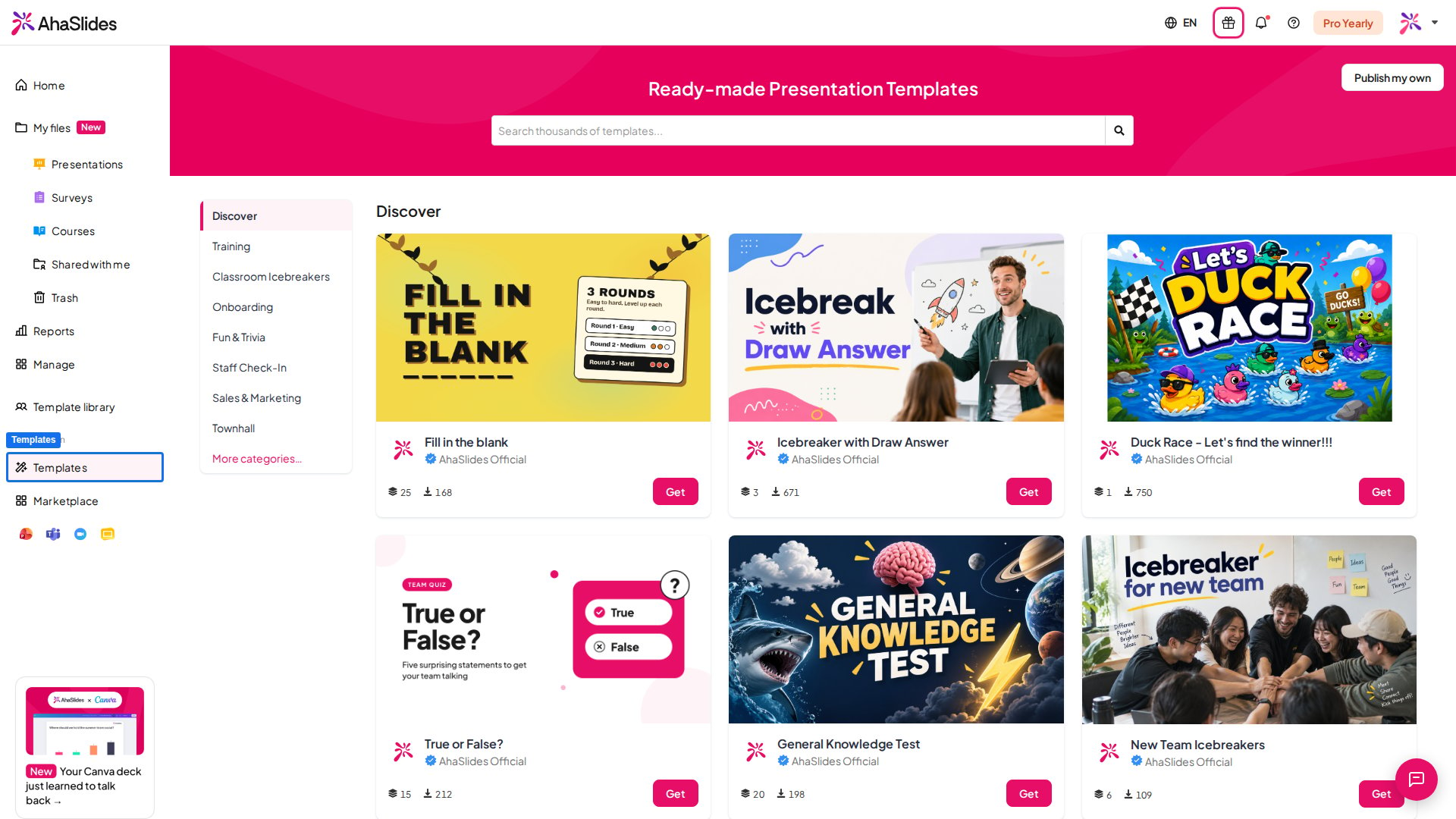
메뉴에서 **템플릿** (Templates) 카테고리를 찾아 클릭하면 다양한 기성 템플릿을 둘러볼 수 있습니다.
 ## 템플릿 다운로드하기
템플릿 라이브러리에 들어가면 다양한 용도로 만든 템플릿 목록이 표시됩니다.
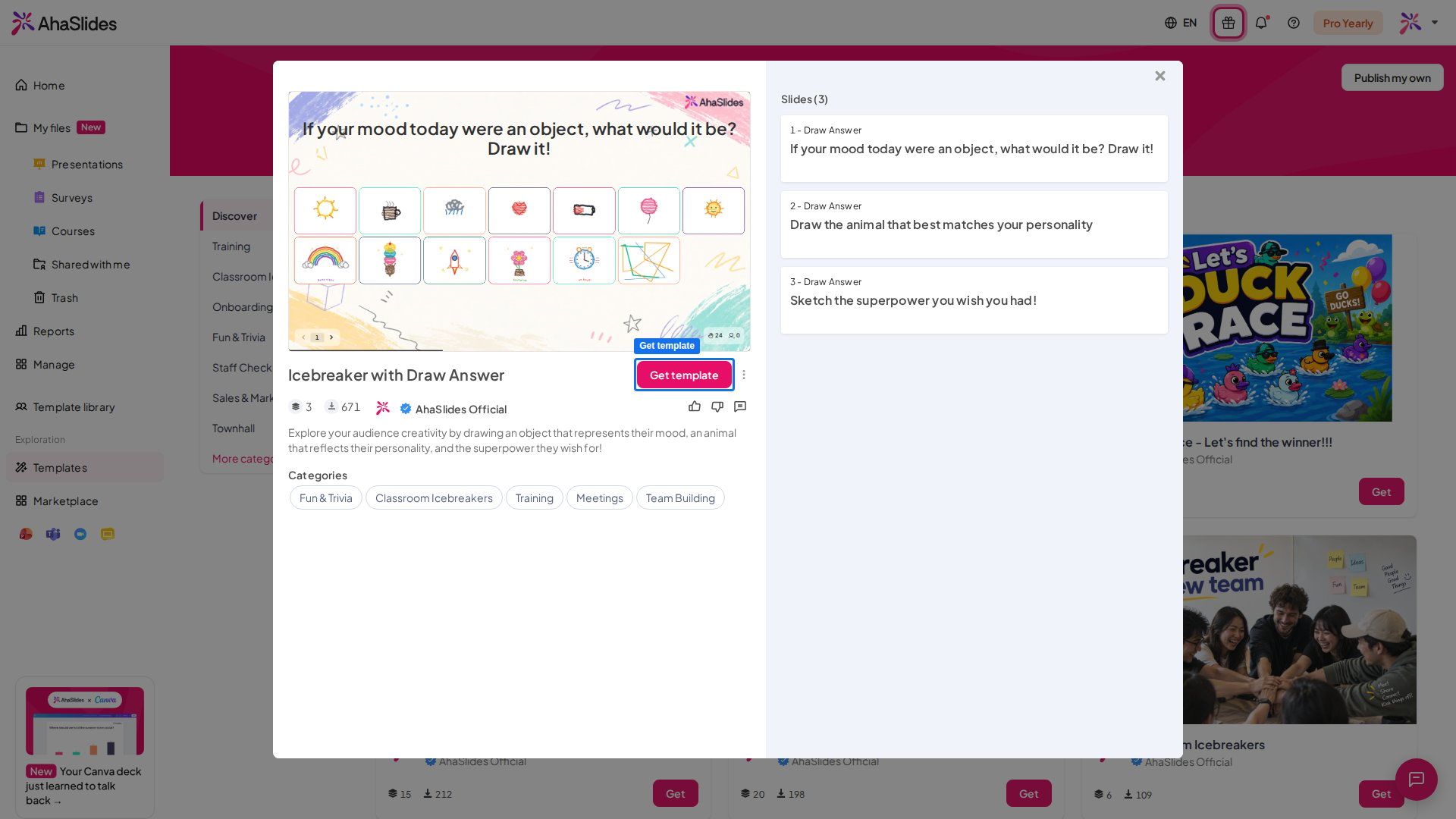
템플릿을 클릭하면 포함된 슬라이드의 요약을 볼 수 있습니다.
**템플릿 가져오기** (Get Template) 버튼을 클릭하여 템플릿을 다운로드합니다. 템플릿이 프레젠테이션 목록에 자동으로 추가되고, 바로 작업할 수 있도록 템플릿이 열린 편집기가 나타납니다.
## 템플릿 다운로드하기
템플릿 라이브러리에 들어가면 다양한 용도로 만든 템플릿 목록이 표시됩니다.
템플릿을 클릭하면 포함된 슬라이드의 요약을 볼 수 있습니다.
**템플릿 가져오기** (Get Template) 버튼을 클릭하여 템플릿을 다운로드합니다. 템플릿이 프레젠테이션 목록에 자동으로 추가되고, 바로 작업할 수 있도록 템플릿이 열린 편집기가 나타납니다.
 다운로드한 템플릿에는 응답 데이터도 포함되어 있습니다. 사용하기 전에 결과를 재설정하세요. 방법은 [결과 재설정 안내](/ko/after-the-presentation/resetting-the-results)를 참고하세요.
## 특정 템플릿 검색하기
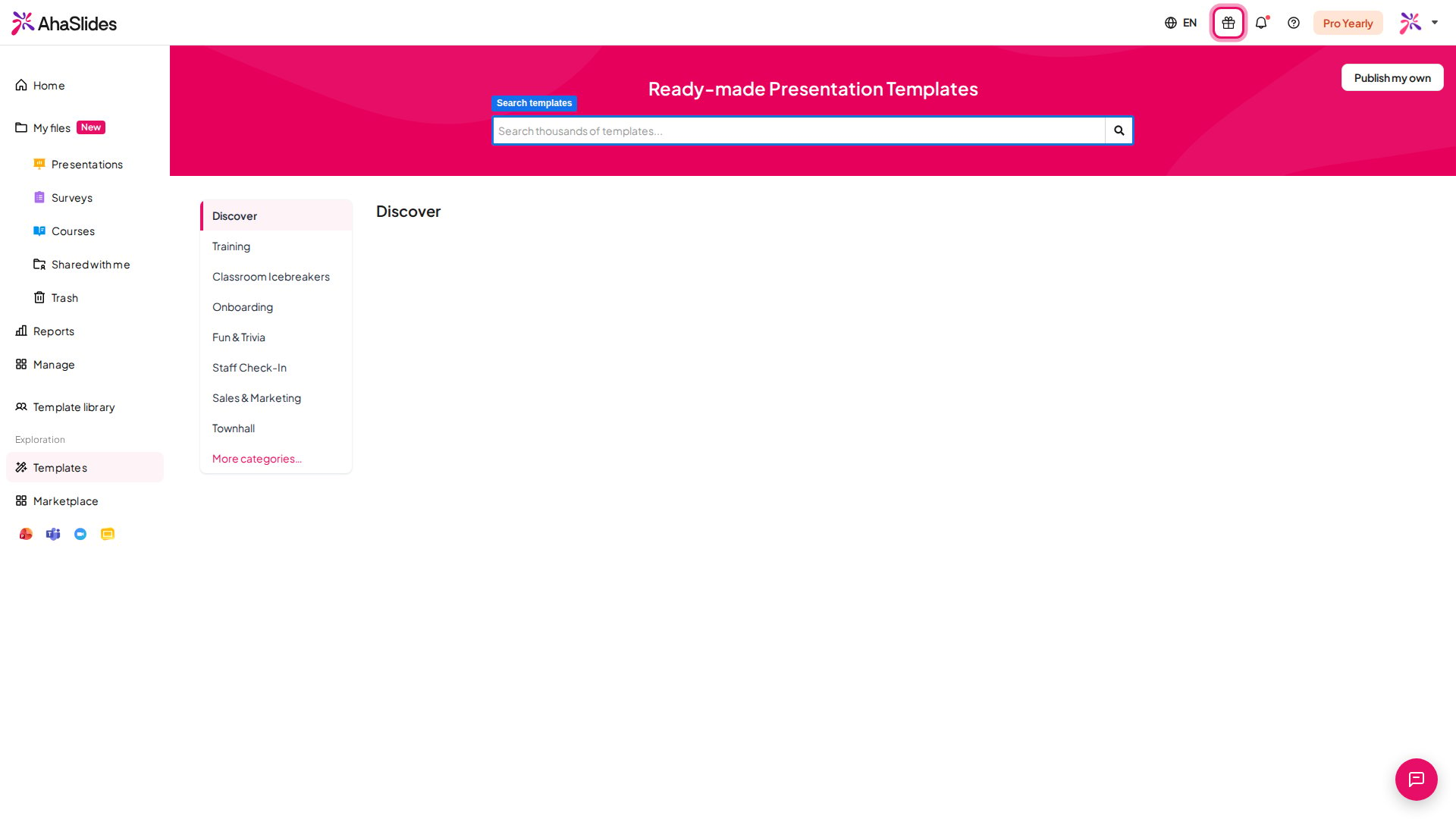
검색창을 사용하세요. 원하는 템플릿이 있다면 검색창에 키워드를 입력하여 필요에 맞는 템플릿을 찾을 수 있습니다.
다운로드한 템플릿에는 응답 데이터도 포함되어 있습니다. 사용하기 전에 결과를 재설정하세요. 방법은 [결과 재설정 안내](/ko/after-the-presentation/resetting-the-results)를 참고하세요.
## 특정 템플릿 검색하기
검색창을 사용하세요. 원하는 템플릿이 있다면 검색창에 키워드를 입력하여 필요에 맞는 템플릿을 찾을 수 있습니다.
 ## 편집 또는 발표 시작하기
템플릿이 목록에 추가되면 프레젠테이션 목표에 맞게 슬라이드를 편집하거나, 그대로 세션에 사용할 수 있습니다.
AhaSlides 템플릿 라이브러리는 계속 늘어나고 있으니, 시간을 크게 줄여 줄 새로운 프레젠테이션이 있는지 주기적으로 확인해 보세요.
**궁금한 점이 있으신가요?**
지원팀에 문의해 주세요. 로그인한 상태라면 대시보드 오른쪽 아래의 채팅 아이콘을 사용하시고, 그렇지 않다면 [여기에서 문의하시거나](https://ahaslides.com/contact-us/) [hi@ahaslides.com](mailto:hi@ahaslides.com)으로 이메일을 보내 주세요.
다른 사용자와 소통하고 싶으신가요? [AhaSlides 커뮤니티](https://community.ahaslides.com/)에 참여해 팁을 공유하고, 기능을 제안하고, 다른 사람들이 청중의 참여를 이끄는 방법을 살펴보세요.
This documentation is built and hosted on [Mintlify](https://mintlify.com), a developer documentation platform.
## 편집 또는 발표 시작하기
템플릿이 목록에 추가되면 프레젠테이션 목표에 맞게 슬라이드를 편집하거나, 그대로 세션에 사용할 수 있습니다.
AhaSlides 템플릿 라이브러리는 계속 늘어나고 있으니, 시간을 크게 줄여 줄 새로운 프레젠테이션이 있는지 주기적으로 확인해 보세요.
**궁금한 점이 있으신가요?**
지원팀에 문의해 주세요. 로그인한 상태라면 대시보드 오른쪽 아래의 채팅 아이콘을 사용하시고, 그렇지 않다면 [여기에서 문의하시거나](https://ahaslides.com/contact-us/) [hi@ahaslides.com](mailto:hi@ahaslides.com)으로 이메일을 보내 주세요.
다른 사용자와 소통하고 싶으신가요? [AhaSlides 커뮤니티](https://community.ahaslides.com/)에 참여해 팁을 공유하고, 기능을 제안하고, 다른 사람들이 청중의 참여를 이끄는 방법을 살펴보세요.
This documentation is built and hosted on [Mintlify](https://mintlify.com), a developer documentation platform.