

隐藏 AhaSlides 链接是付费计划提供的品牌选项。如果
您使用的是免费计划,尝试更改时会看到升级提示。
什么是 AhaSlides 链接
观众在自己的设备上完成演示时,AhaSlides 会显示 一个结束画面,其中有感谢信息和 Get AhaSlides for free 链接。 该链接指向 AhaSlides 注册页面。它默认开启,以便新 观众发现 AhaSlides,但您可以将其移除,让结尾更简洁、 不带品牌标识。隐藏 AhaSlides 链接
1
打开演示文稿设置
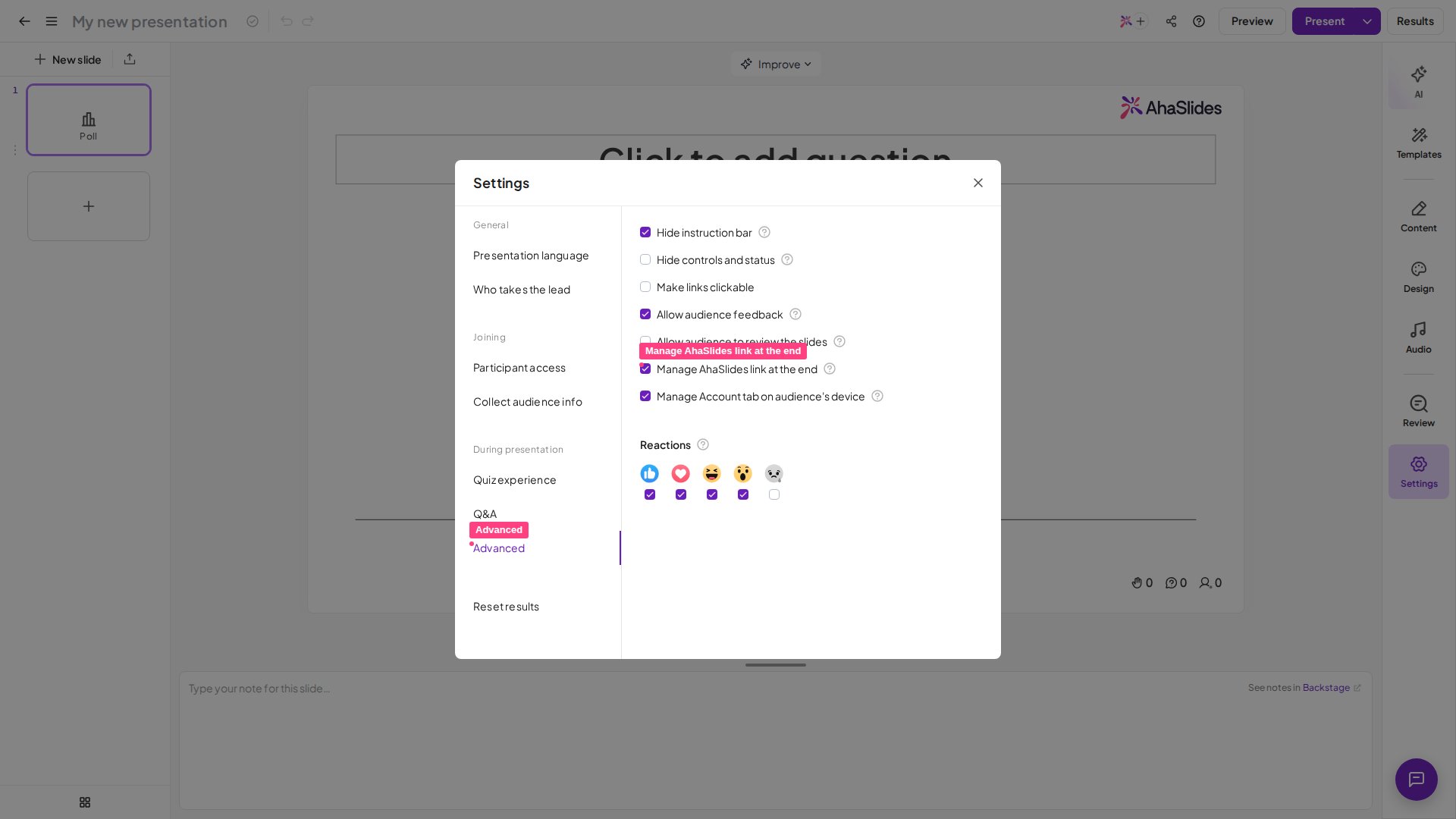
在 AhaSlides 编辑器中,打开设置菜单,进入 高级 (Advanced)
选项卡。
2
关闭 AhaSlides 链接
找到 Manage AhaSlides link at the end 并取消勾选。观众将不会
再在演示结束时看到 Get AhaSlides for free 链接。
3
重新显示
如需恢复该链接,请再次勾选 Manage AhaSlides link at the end。
常见问题
为什么结束时我仍然看到“Get AhaSlides for free”?
为什么结束时我仍然看到“Get AhaSlides for free”?
该链接默认开启。请使用设置菜单 高级 (Advanced) 选项卡上的
Manage AhaSlides link at the end 设置将其关闭。如果该
设置被锁定并提示您升级,说明您当前的计划不包含隐藏链接
功能,它仅在付费计划中提供。
这会移除整个结束消息吗?
这会移除整个结束消息吗?
不会。此设置仅控制 Get AhaSlides for free 注册链接。
演示结束时显示给观众的感谢信息会保持不变。