

결제 시 할인 코드 적용하기
1
요금제 선택
구매하려는 요금제를 선택하고 Checkout 페이지로 이동합니다.
2
프로모션 코드 추가
결제 페이지에서 ‘Subtotal’ 섹션 바로 아래에 있는 ‘Add promotion code’ 텍스트를 찾아 클릭합니다.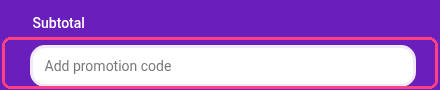
3
코드 입력
나타난 입력란에 할인 코드를 입력한 다음 **‘Apply’**를 클릭합니다.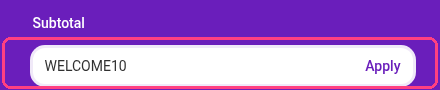
결제 페이지의 소계 아래에서 ‘Add promotion code’를 찾아 할인 코드를 입력하고 Apply를 클릭하세요.
요금제 선택
프로모션 코드 추가
코드 입력