

更新账单地址
1
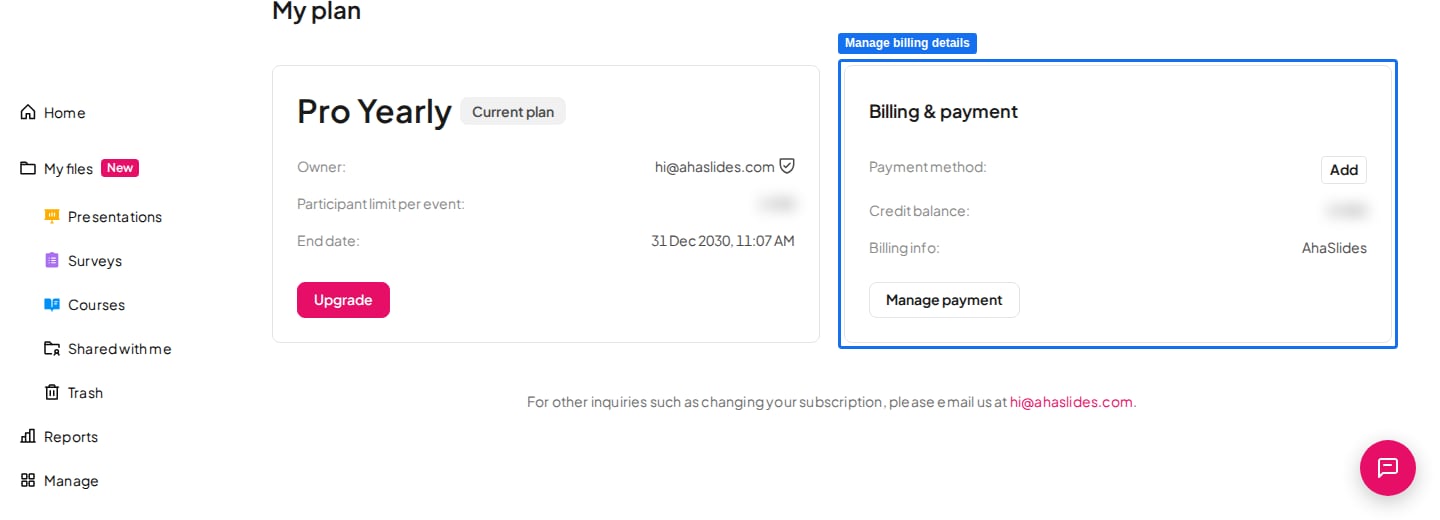
打开 My Plan 页面
登录您的 AhaSlides 账户,前往 My Plan 页面。
2
打开账单详细信息
在 账单与付款 (Billing & payment) 部分,点击 管理付款 (Manage payment),打开安全的账单门户。
3
更新账单信息
更新您的账单地址和其他详细信息,然后保存更改。
请在购买之前更新您的账单详细信息——付款处理完成后,现有发票无法修改。有关发票和账单的更多信息,请参阅账单信息与发票/收据。
在 My Plan 页面更新账单信息,即可将账单地址和其他详细信息添加到您的收据中。
打开 My Plan 页面
打开账单详细信息
更新账单信息