

How the referral program works
For you (the referrer)
- From September 2026, earn $20 USD via PayPal for every successful referral who subscribes to a paid AhaSlides plan.
- There is no limit to how many friends you can refer. If you have a large audience to refer, we suggest joining our Affiliate Program instead — contact hi@ahaslides.com for more information.
For the referred friend (the invitee)
- Invitees receive 30% off their first subscription when signing up through your referral link.
- The discount is applied during checkout for a paid plan.
Using the referral program
1
Open your AhaSlides dashboard
Log in to your AhaSlides account.
2
Click the Referral Program section
Find the gift box icon at the top right of the navigation bar. If you can’t see it, check If you can’t find the referral link below.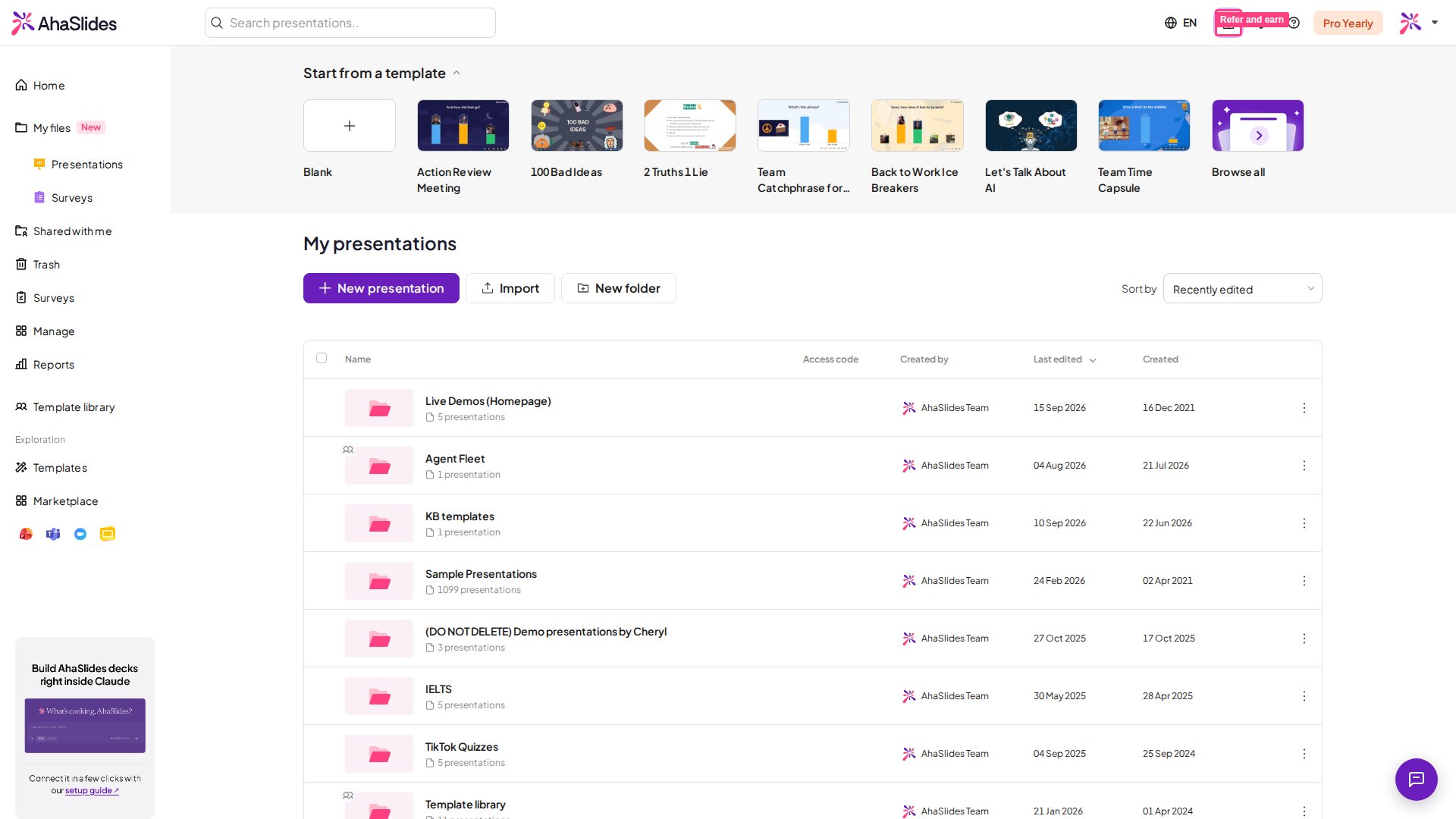
3
Click Copy referral link
This copies your unique referral link to your clipboard.
4
Share your link
Share your referral link with friends, colleagues, or teammates via email, social media, or messaging apps.
Getting paid for your referrals
Before you can receive rewards, add your PayPal payout details:1
Open the Referral Program section
Find it in your dashboard.
2
Go to the Rewards tab
Navigate to the Rewards tab within the Referral Program section.
3
Click Add payment details
This opens the payment details form.
4
Enter your PayPal account information
Fill in your PayPal account details.
5
Save your payment details
Confirm to save.
Tracking your referrals
You can track your referral activity directly from the Referral Program dashboard:- Open the Referral Program section in your dashboard.
- Go to the Rewards tab.
If you can’t find the referral link
The gift box icon is the only place the referral link lives, so if it isn’t in the top-right of your navigation bar, one of these two things is usually why:1
Check whether you were referred yourself
If you joined AhaSlides through someone else’s referral link and haven’t claimed that reward yet, you’ll see a Redeem gift button in place of the referral icon. Redeem it first, and the referral program becomes available to you as a referrer.
2
Widen the window
The top-right icons sit alongside the language and notification controls, so a heavily zoomed-in browser or a narrow window can push them out of view. Reduce your browser zoom or maximise the window and check again.
Still can’t find it after checking both? Email hi@ahaslides.com and we’ll check your account’s referral eligibility for you.
Program policies
Eligibility criteria
- Referred users must be new AhaSlides users who have not previously created an account.
- The referred user must sign up using your referral link.
- The referred user must purchase a paid AhaSlides subscription.
Successful referral requirements
A referral is considered successful when:- The referred user signs up through the referral link.
- The referred user purchases a paid subscription.
- The subscription remains active and no refund is requested for at least 30 days.
Discount details
- Invitees receive 30% off their first subscription.
- The discount is applied during checkout.
Preventing abuse
The following activities are not permitted:- Self-referrals.
- Creating multiple accounts to generate rewards.
- Fraudulent or suspicious activity.