

When you publish a presentation to the Template Library:
- Any user can get a copy of it, along with your notes. Your notes can be a helpful guide for others on how to use the slides.
- Your name appears as the creator of the published presentation in the Template Library.
- Any response data in your published presentation is shown in the Template Library. However, when someone downloads the presentation as a template, the audience response data does not copy across.
Option 1: On the editor
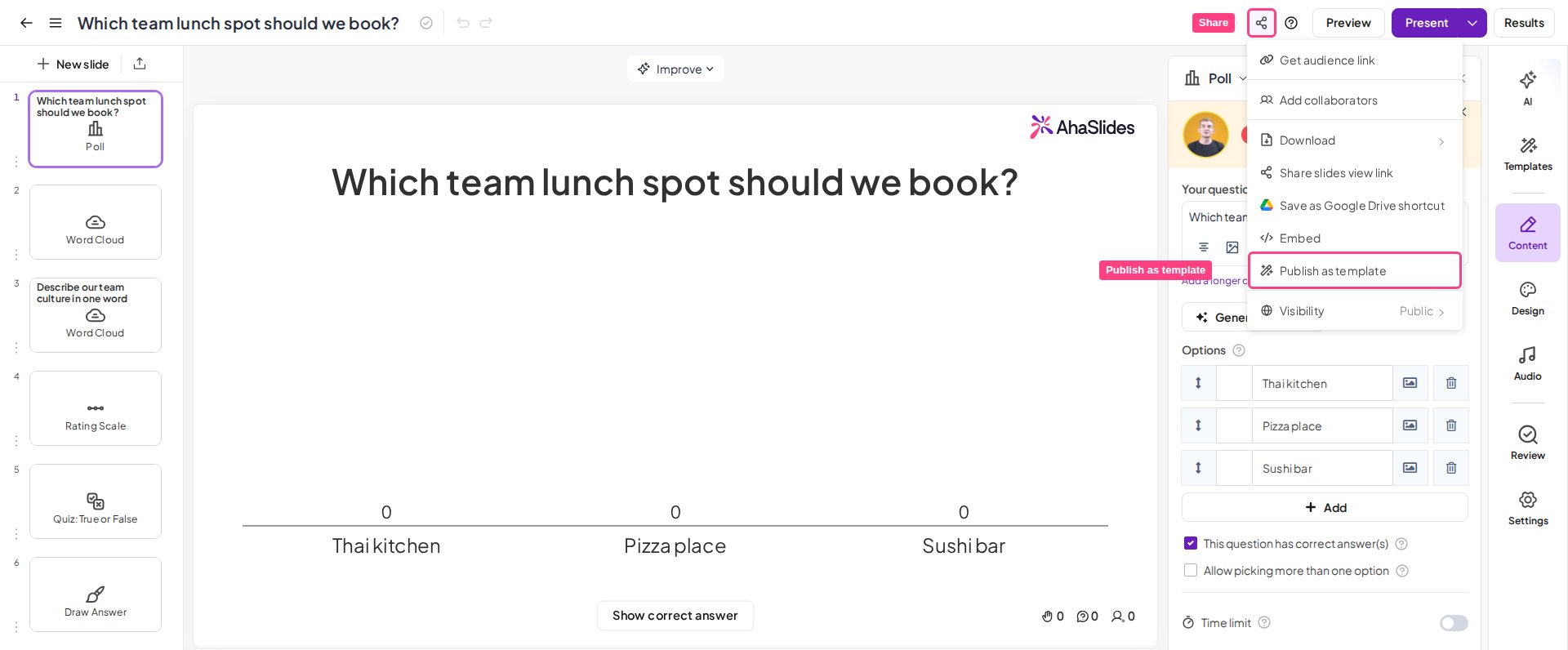
- While editing your presentation, go to the Share menu.
- Choose Publish as template, then press the Publish button.
Option 2: In the Templates tab
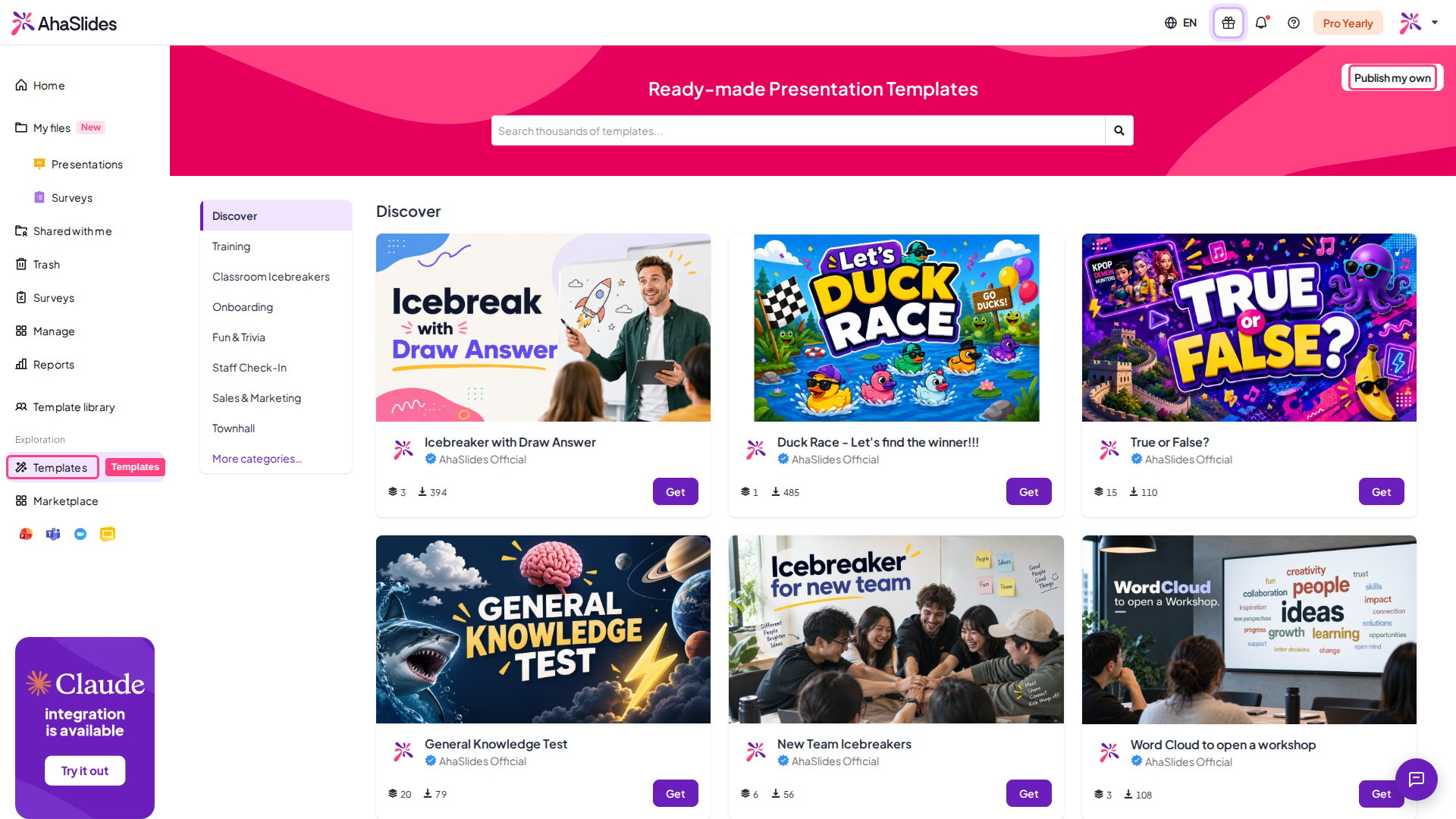
- Click the Templates tab in the left sidebar and press Publish my own.
- Choose the presentation(s) you want to publish and press Publish.
Unpublishing a presentation from the Template Library
To remove your published presentation from the Template Library, head to the editor of that presentation, click Share, choose Publish as template, and click Unpublish.Unpublishing your presentation from the Template Library does not affect any copies that other users already downloaded from it.
Controlling who can publish in a team
Team Owners and Admins (see managing your team members) can stop other team members from publishing presentations as public templates.- Click your team name in the left-hand panel and open the Team settings tab.
- In the Presentation defaults section, turn the Allow publishing templates toggle off, then click Save.
Downloading other users’ presentations from the Template Library
- Open the Templates section, then use the search bar to search for a template.
- Browse the templates and press the Get Template button.
- The presentation is copied to your account with the presenter notes but without the audience response data.