

The Export data to Excel feature isn’t available on every plan; if yours doesn’t include it, you’ll be prompted to upgrade.
- Slides — The question on each slide, plus the dates each slide was created and last modified.
- Question options — The multiple-choice answer options for any Poll slide or Pick Answer quiz slide.
- Participants — The IDs, names, organisations and emails of your participants, if they entered them during your presentation, plus Joined Presentation At (UTC), the moment each participant joined. Names, organisations and emails can be gathered on certain slide types (such as an Open Ended slide with additional fields set up) or by collecting your audience’s information when they join.
- Quiz Answers — The responses participants gave to quiz slides (Pick Answer, Short Answer, Match Pairs, Correct Order and Categorise), along with the date and time they submitted them, the time they spent, and the scores they received.
- Opinion Answers — The responses participants gave to opinion slides (Poll, Open Ended, Word Cloud, Rating Scale, Brainstorm and 2×2 Matrix), along with the date and time they submitted them.
- Reactions — The emoji reactions your participants submitted during the event.
- Q&A — Any questions submitted to you on a Q&A slide, how many upvotes they received, whether they were marked as answered, and their moderation status.
- Private feedback — Each participant’s rating of your presentation (out of 5) and any private comments they left for you.
- Individual leaderboard — The final standings of your participants in the presentation’s quiz, if you held one.
- Team Leaderboard — The final standings of your participants’ teams in the presentation’s quiz, if you held one.
All dates and times in the export are in UTC — every timestamp column name ends with (UTC). They are not converted to your local timezone, so adjust for your own timezone when reading them.
How to export your data to Excel
The export file becomes available around 5 minutes after you open the Report page.
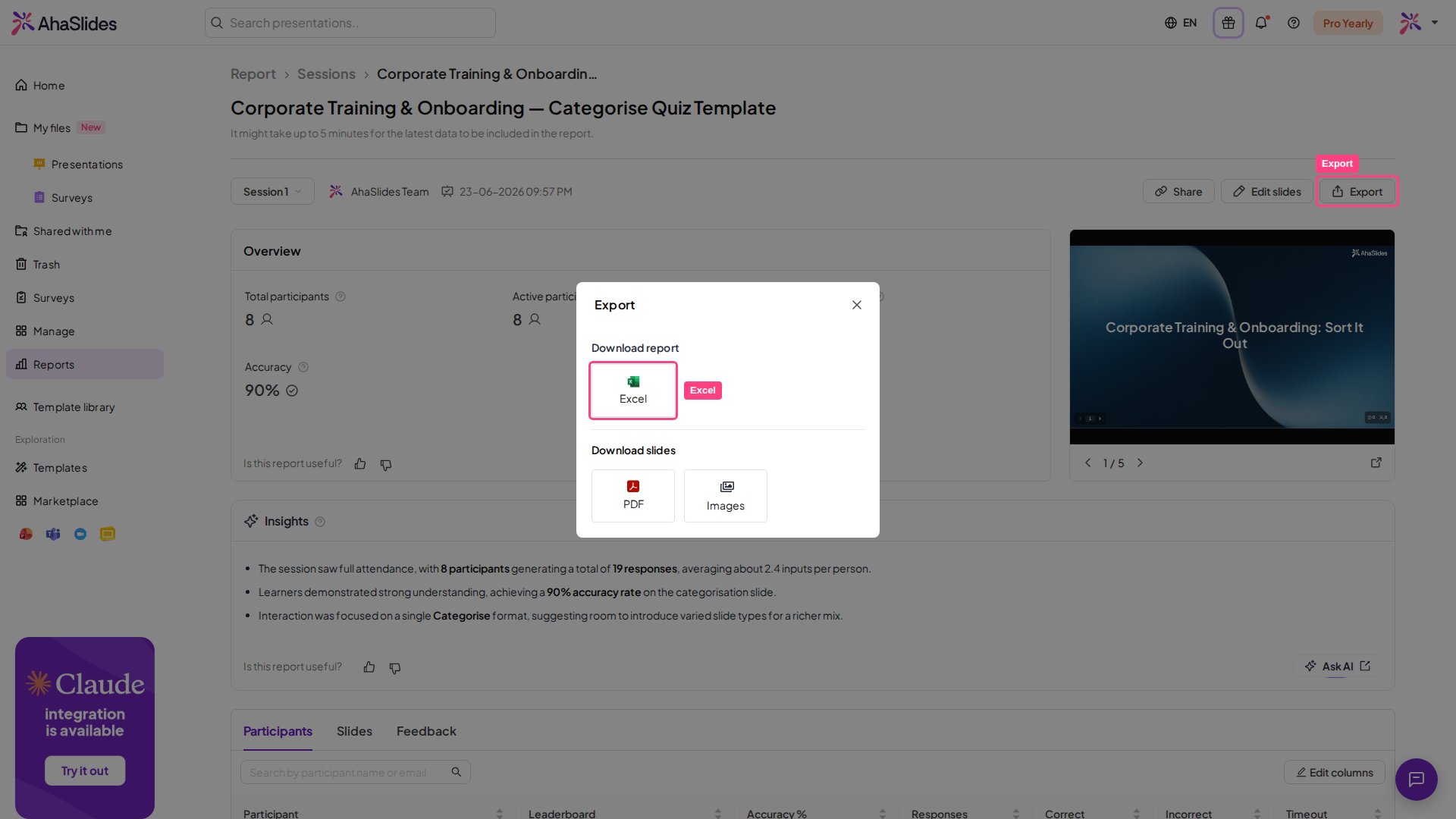
Export a single session
If your presentation has more than one session, you can export just one of them instead of the whole report:- Open the Presentation Report and click the Session list box next to the presentation owner’s name.
- Select the session you want to export.
- Click Export and choose Excel. The file will contain only that session’s data.
A new session is recorded automatically each time anyone resets the presentation’s results, so your earlier sessions stay available to export on their own.