

This feature isn’t available on every plan; if yours doesn’t include it, you’ll be prompted to upgrade.
What the logo is
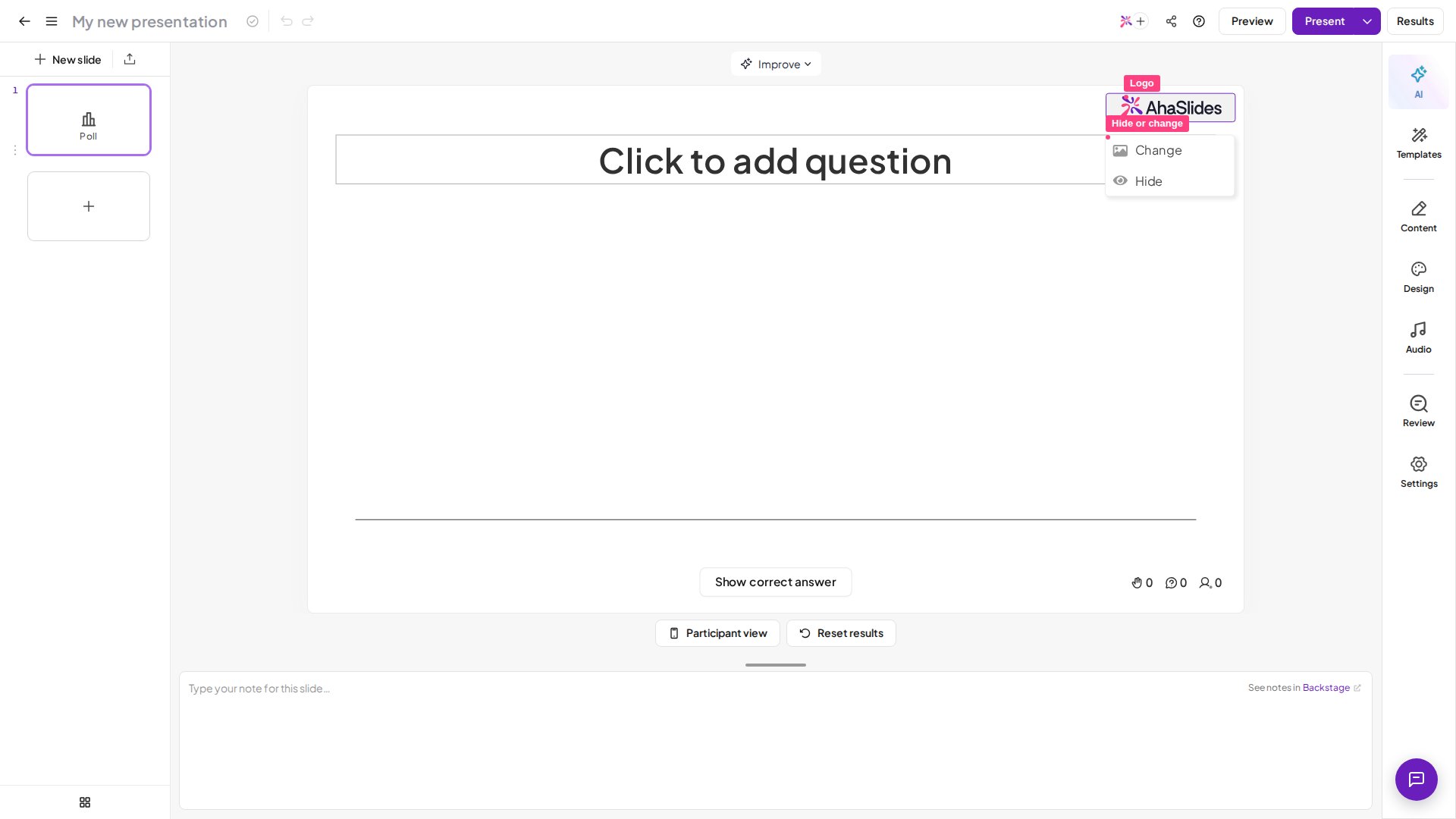
The logo sits in the top-right corner of all of the slides in your presentation. Your audience will see it on their phones as well as the presenter’s screen. By default, the logo will be the AhaSlides logo, but on plans that include it you can hide it or change it to your own logo. Doing this once on any slide will take effect across your whole presentation.Hide the logo
Hiding the logo means that you will have no logo showing in the top-right of your slides.1
Hover over the logo
Navigate to the AhaSlides editor and hover over the logo in the top-right of the presentation canvas.
2
Hide it
Click the logo and select Hide.
3
Reveal it again
To reveal the logo once again, hover over the space in the top-right corner and click Unhide.
Change the logo
You can replace the AhaSlides logo with your own, or even any other image or GIF you want. It will show at the top-right of each of your slides.1
Hover over the logo
Navigate to the AhaSlides editor and hover over the logo in the top-right of the presentation canvas.
2
Change it
Click the logo and select Change.
3
Upload your logo
Upload your logo.
4
Reset if needed
Reset the logo to the original AhaSlides logo by hovering over it and clicking Reset.
Recommended logo size
For a crisp logo on every screen:- Shape — wide/horizontal, at about a 4.5:1 width-to-height ratio. Your logo shows in a landscape box in the top-right corner, and the uploader crops to this ratio, so a square or tall logo will have its top and bottom trimmed.
- Dimensions — around 720 x 160 px is ideal. Larger is fine, as it scales down to fit; very small images can look soft on a big screen or projector.
- Format — a PNG with a transparent background looks cleanest on any theme. JPG and GIF also work.
- File size — keep it under 15 MB.