Before you start
You don’t need to do this to keep your work. AhaSlides saves your presentation automatically as you edit it, so there is no Save button and nothing extra to do. Saving to Google Drive adds a shortcut to the presentation in your Drive so it’s easier to find and share from there.
Save a presentation as a Google Drive shortcut
1
Open your presentation
Log in to your AhaSlides account and open the presentation you want to save.
2
Navigate to the Share menu
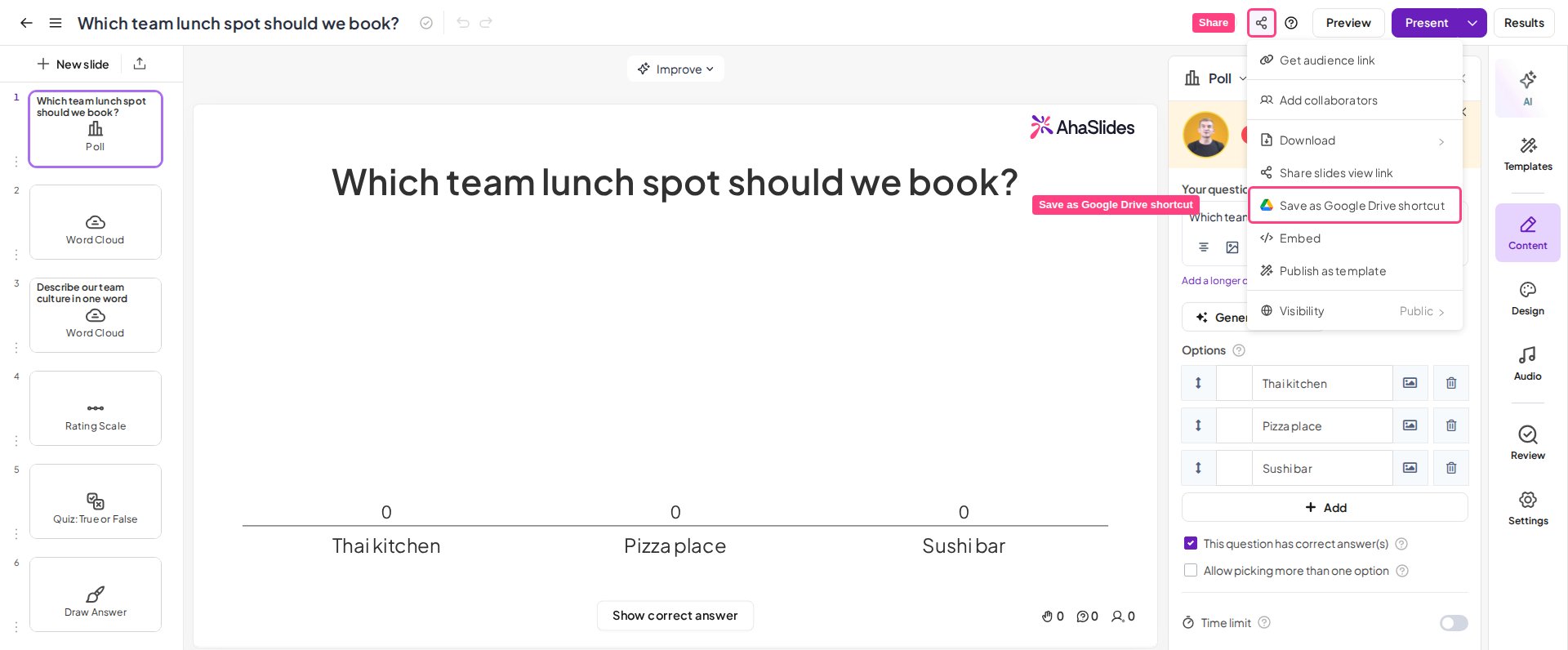
With your presentation open, click the Share button in the top-right corner of the screen.
3
Save as a Google Drive shortcut
In the Share menu, choose Save as Google Drive shortcut.