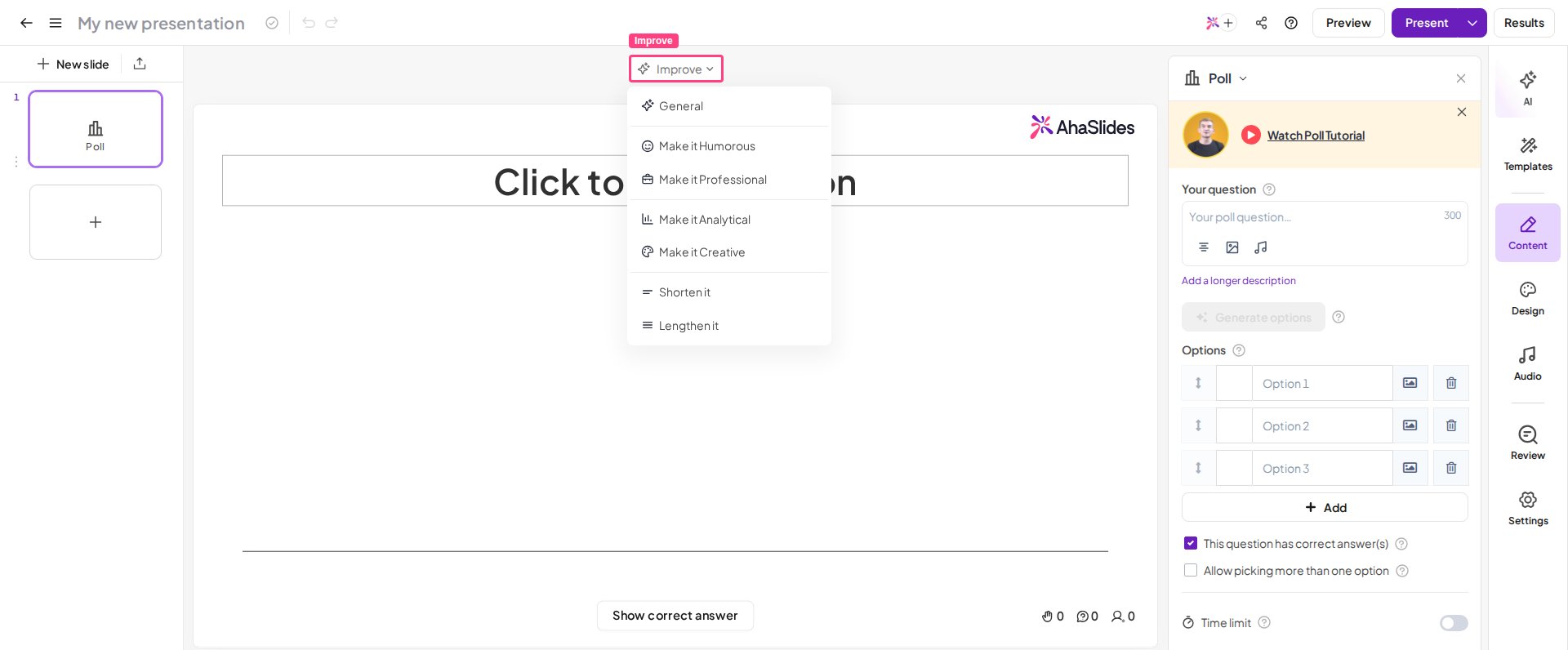
The Improve Writing feature is currently available on all slides except YouTube, QR Code, and Google Slides.
Use Improve Writing
1
Create a slide
Start by creating a new slide where you’d like to add or improve your text.
2
Type your content
Write your question or content on the slide as usual.
3
Open the Improve Writing tool
Click Improve to open the Improve Writing feature. It offers several themes to enhance your writing based on your goal:Tone
- 🤩 Make it Humorous — add a playful, lighthearted tone to entertain your audience.
- 💼 Make it Professional — make your writing formal and suitable for a business setting.
- 📊 Make it Analytical — refine your content to be more data-driven and precise.
- 🎨 Make it Creative — add flair and originality to make your writing stand out.
- ✂️ Shorten it — trim your text for a more concise delivery.
- ✍️ Lengthen it — expand your content to provide more detail or context.
4
Undo changes if needed
If you’re not satisfied with a suggestion, click Undo to revert to your original text.