

For presenters: Set up and control review
These steps are done in your presentation’s settings, in the presenter app. They decide what the audience can review after the session.Allow the audience to review slides and answers
Open the Settings menu, go to the Advanced tab, and tick Allow audience to review the slides. If your plan doesn’t include this option, the checkbox is disabled and you’ll be prompted to upgrade. Once this is on, participants can review their answers and revisit the slides after the presentation ends.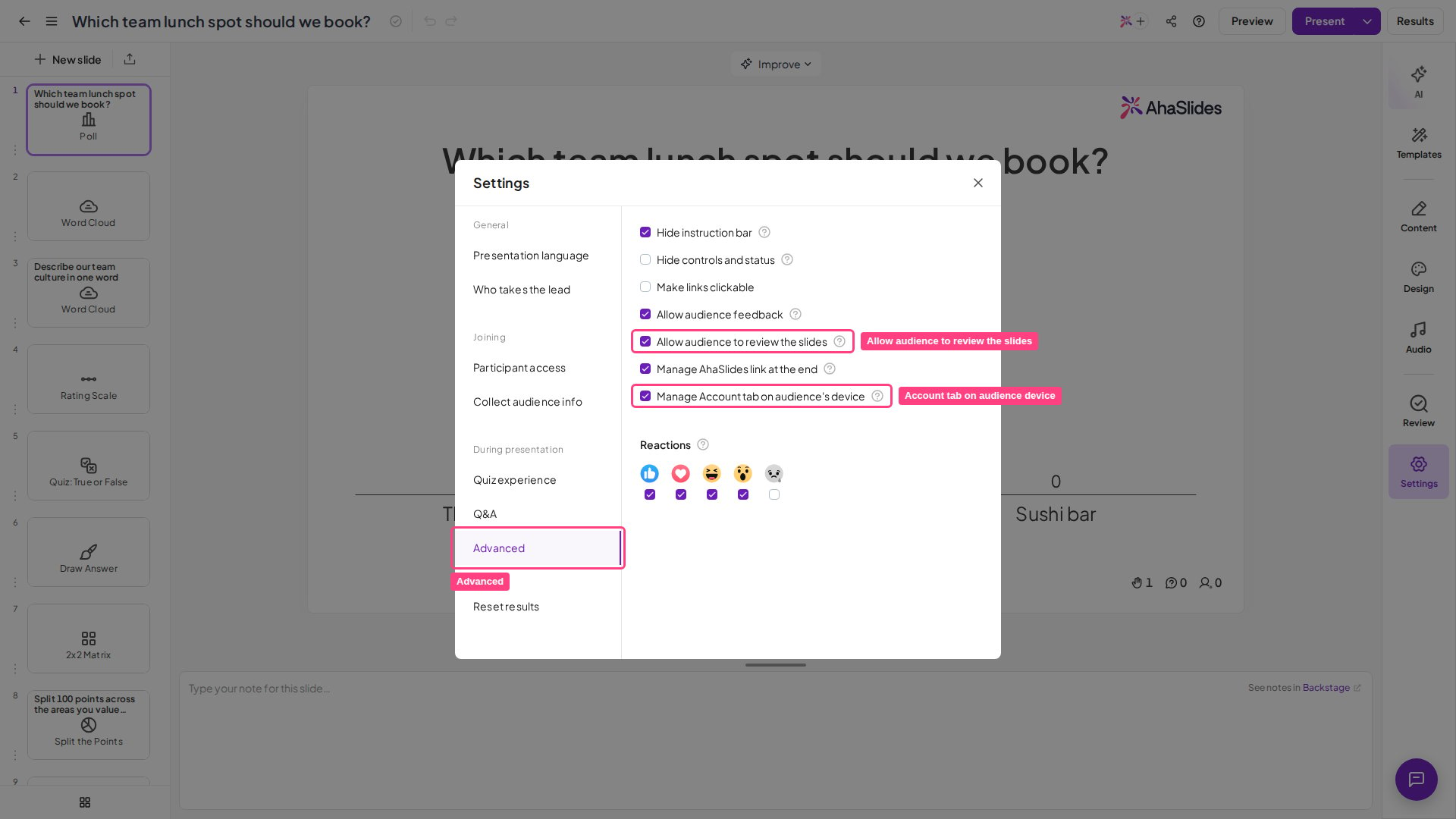
Show or hide the Account tab on the audience’s device
You can also control whether the Account tab appears on the audience’s device. In the same Advanced tab, tick or untick Manage Account tab on audience’s device. This option isn’t available on every plan; if yours doesn’t include it, you’ll be prompted to upgrade.For participants: Review your answers and slides
Once a presenter has allowed review, you can look back over what you answered and every slide from the session, all from your own device.Review your answers
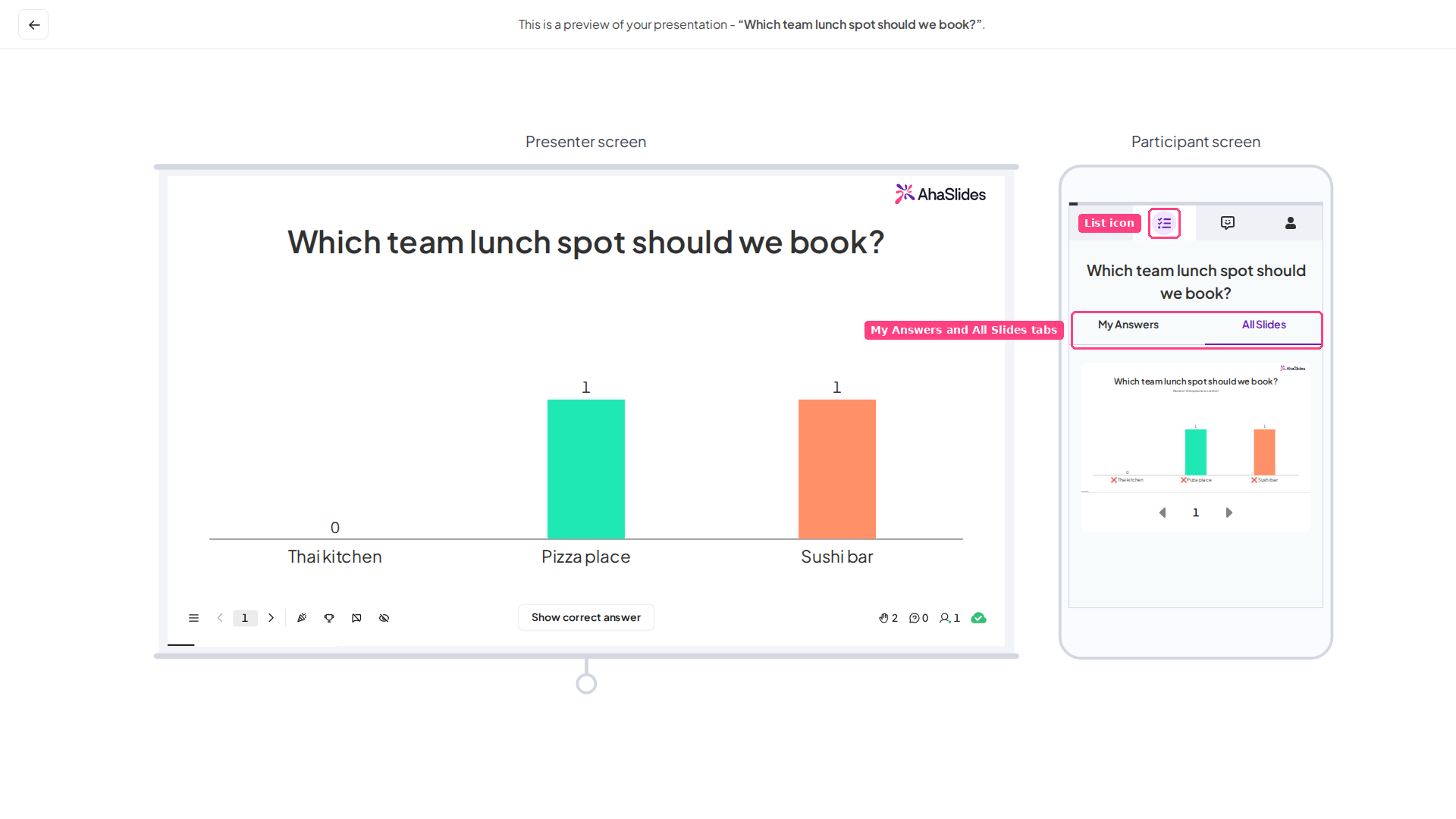
The My Answers tab covers every interactive slide type — including Poll, Word Cloud, Open Ended, and Brainstorm slides — not just the quiz slide types it was previously limited to (Pick Answer, Short Answer, Match Pairs, and Correct Order). There are two ways to open it:- Go to the last slide and click the Review slides button to open the My Answers tab.
- Click the List icon located next to the Presentation icon.
Submitted answers are processed before they appear, so it can take up to five minutes for the latest data to show in the My Answers tab. If a recent answer is not there yet, wait a moment and refresh.
Review all slides
To revisit every slide presented during the session, click the All Slides tab.Review presentations you have attended
You can also look back over all the presentations you have attended. There are two ways in, depending on which app you are using. From the audience app on your device- Click the Profile icon in the top-right corner of the screen.
- If you haven’t signed in already, select Sign in to save this presentation.
- Sign in to your AhaSlides account and click your avatar in the top-right corner of the header. On a narrow screen, open the side menu instead and scroll to the My account group.
- Select Sign in as a participant. This opens the audience app in a new browser tab.
- On that new page, open the My Account tab to see the presentations you have joined.