

Restore a deleted presentation
1
Go to the Trash folder
Log in to your AhaSlides account, then select Trash in the left sidebar.
2
Find the deleted presentation
Trash lists the presentations and surveys you’ve moved to trash. Scroll through the list to locate the one you want to recover.
3
Restore the presentation
Click the Restore icon on its row. To restore several at once, tick their checkboxes and click Restore in the action bar. Restored items go back to My Files, where you can edit or present them as usual.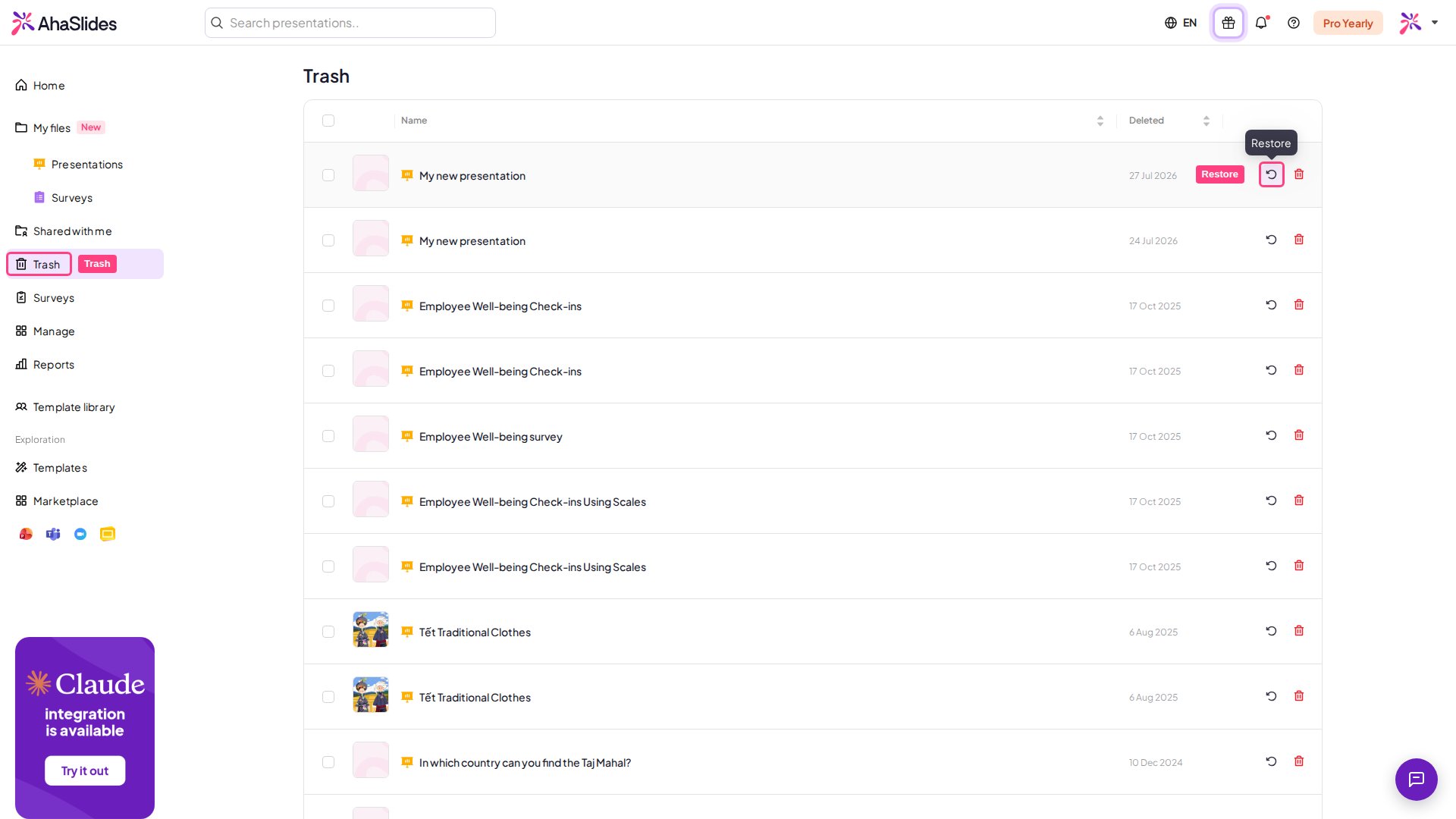
What Trash can and can’t restore
Trash also holds deleted surveys, so you can restore a survey the same way. Delete forever in Trash removes an item permanently, and a deleted folder never goes to Trash, so neither can be restored.