

Invite collaborators as presenters
There are two ways to add collaborators to your presentation:1
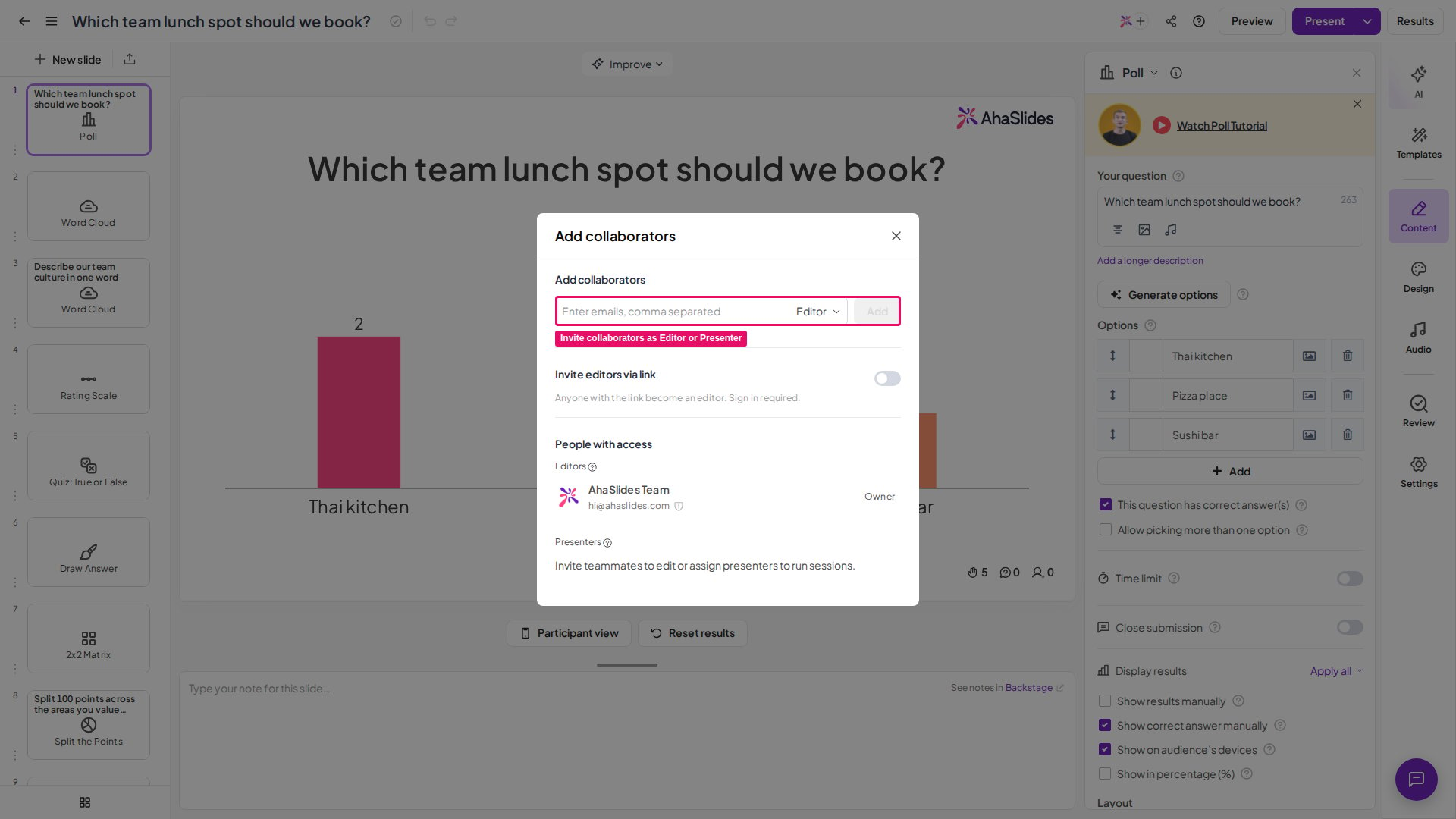
Open the collaborator menu
In the presentation editor toolbar, click the icon that shows your profile image and a + icon. Or click the Share menu button and choose the Add Collaborators tab.
2
Enter emails and assign the role
Enter your collaborators’ email addresses and choose the Presenter role for each one.
How the Presenter role works
A collaborator added as Presenter finds your presentation on the Shared with me page after logging in with their own AhaSlides account. Each presenter must use their own AhaSlides account — presenters cannot share a single login. If you need several people to present at the same time, add each of them as a collaborator with the Presenter role. A Presenter gains these permissions in your presentation:- View the presentation
- Present the presentation
- Reset results
- View the report and export the results of their own sessions
View the report of each session
As the presentation owner, you can view reports for sessions run by you and by your collaborators. A new session is recorded each time anyone resets the presentation’s results. To see all sessions, open the report page of the presentation and click the Session list box next to the owner’s name. A window opens with the list of sessions for you to select. Collaborators with the Presenter role can access reports only for the sessions they ran themselves.Frequently asked questions
How do I let multiple people present the same AhaSlides presentation?
How do I let multiple people present the same AhaSlides presentation?
Add them as collaborators with the Presenter role: click the profile-image-and-+ icon in the editor toolbar, or open the Share menu and choose Add Collaborators, then enter their emails and assign the Presenter role. Each presenter gets their own join link and QR code.
What can a collaborator with the Presenter role do?
What can a collaborator with the Presenter role do?
A Presenter can view the presentation, present it, reset results, and view and export the report for their own sessions. They run independent sessions that do not affect other presenters.
Why can't presenters edit the presentation?
Why can't presenters edit the presentation?
The Presenter role intentionally excludes editing. When you make changes as the owner, presenters can click Get the latest to receive the updated version.
How do I view reports for sessions run by my collaborators?
How do I view reports for sessions run by my collaborators?
As the owner, open the report page and click the Session list box next to your name to select any session run by you or your presenters. Presenters themselves can only access reports for sessions they ran.
Which plan is required for the Presenter role?
Which plan is required for the Presenter role?
The Presenter role isn’t available on every plan; if yours doesn’t include it, you’ll be prompted to upgrade. It also does not work on the PowerPoint add-in.
Can a collaborator's plan limit how many participants join my presentation?
Can a collaborator's plan limit how many participants join my presentation?
Yes, when the collaborator is the presenter. The participant limit comes from the plan of the account that is presenting, not from the plan of the presentation’s owner. Sharing a presentation does not share the owner’s participant limit. If a collaborator on the Free plan presents a presentation you own on a paid plan, the Free plan’s participant limit applies. Participants over that limit cannot join and see the Participant limit exceeded screen. Each presenter can see the participant limit of their own plan on the My Plan page. See Raising your participant limit.