

Hiding the AhaSlides link is a branding option available on paid plans. If
you’re on the free plan, you’ll see a prompt to upgrade when you try to change
it.
What the Link Is
When your audience finishes a presentation on their own device, AhaSlides shows a closing screen with a thank-you message and a Get AhaSlides for free link. The link points to the AhaSlides sign-up page. It’s on by default so that new audiences can discover AhaSlides, but you can remove it for a cleaner, unbranded finish.How to Hide the Link
1
Open your presentation settings
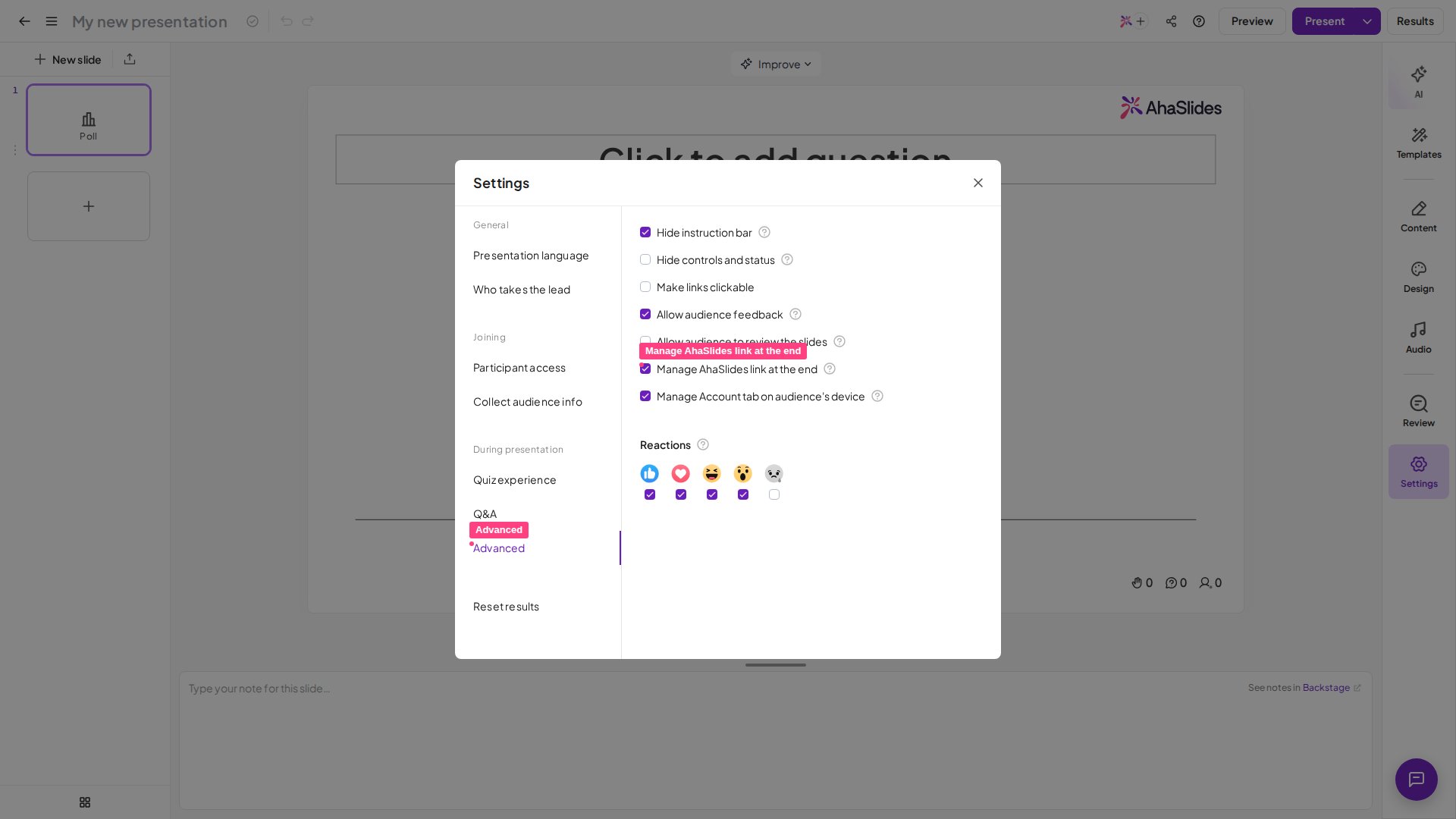
In the AhaSlides editor, open the settings menu and go to the Advanced
tab.
2
Turn off the AhaSlides link
Find Manage AhaSlides link at the end and untick it. Your audience will
no longer see the Get AhaSlides for free link at the end of the
presentation.
3
Show it again
To bring the link back, tick Manage AhaSlides link at the end once more.
FAQ
Why do I still see 'Get AhaSlides for free' at the end?
Why do I still see 'Get AhaSlides for free' at the end?
The link is on by default. Turn it off with the Manage AhaSlides link at
the end setting on the Advanced tab of the settings menu. If the
setting is locked and prompts you to upgrade, hiding the link isn’t included
on your current plan — it’s available on paid plans.
Does this remove the whole closing message?
Does this remove the whole closing message?
No. This setting controls the Get AhaSlides for free sign-up link
specifically. The thank-you message shown to your audience at the end stays
in place.
Where do I find the setting?
Where do I find the setting?
Open your presentation in the AhaSlides editor, open the settings menu, and
go to the Advanced tab. The Manage AhaSlides link at the end option
is there.
- To remove or replace the logo in the top-right of every slide, see Removing and Changing the Logo.
- To customise your presentation’s colours, fonts, and background, see Design Your Theme.