

To receive your invoices with the correct information, please update your billing details before making the payment. Changes you make will only show up on new invoices. Old invoices will still retain the information when they were created.
Our company is a non-GST registered company - we don’t collect any tax from our customers. Therefore, we don’t have tax invoices.
Change billing information
1
Open the Billing section
Log in to your AhaSlides account. Click on your profile image and select Billing.Or go to the My Plan page, then click Manage payment in the Billing & payment section.
2
Update your information
On the billing page, update your information:
- Scroll down to the ‘Billing information’ section, then click on Update Information.
- Fill in the required billing details, then scroll down and click Save to confirm the changes.
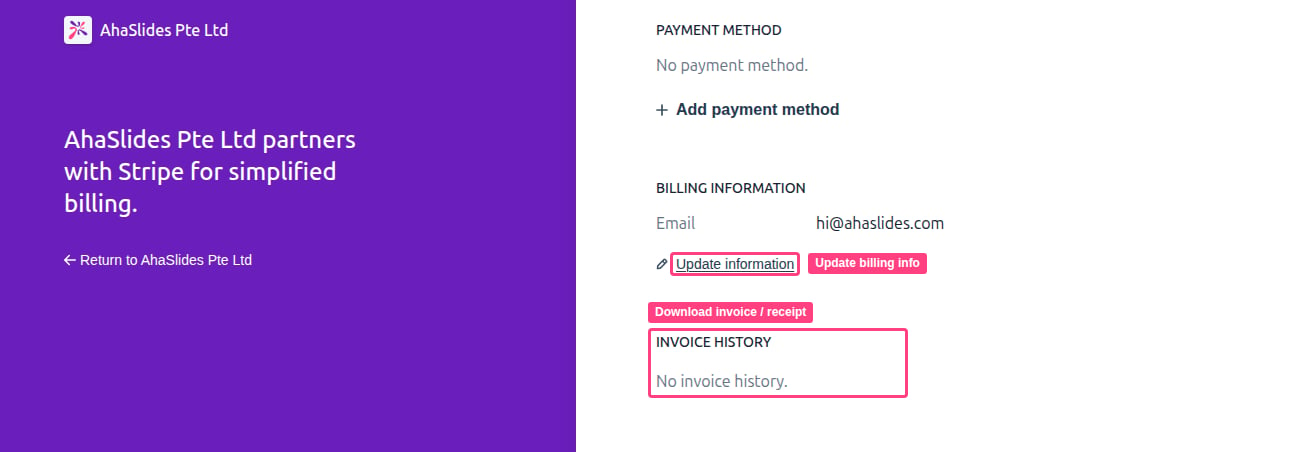
Download invoice or receipt with billing information
Once you’ve updated your billing information, you can effortlessly download your invoices or receipts:1
Open Invoice History
Open the billing page as described in Change billing information above: click your profile image and select Billing. Then find Invoice History and click on the specific invoice you want to download.
2
Download
You’ll be redirected to a page where you can choose to download either your invoice or receipt.