

Upgrading your plan
1
Open My plan
Log in to AhaSlides, click your profile picture in the top-right corner and choose My plan.
2
Click Upgrade
On your plan card, click Upgrade. The AhaSlides pricing page opens.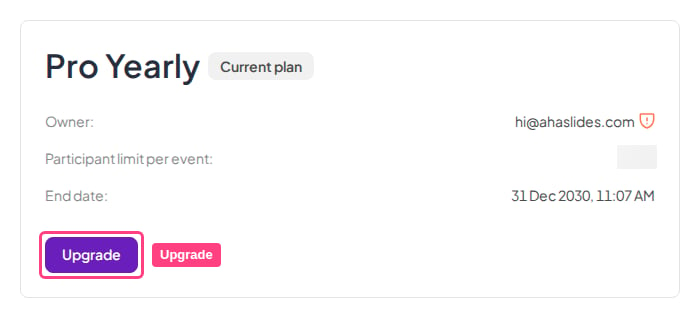
3
Choose your new plan
Pick the plan you want and click Buy now. Your current plan is marked Current plan, and plans below it can’t be selected.
4
Confirm the change
You’re taken to a secure Stripe page that shows the change and the amount due. Check the details and confirm to complete your upgrade.
Raising your participant limit
The number of participants who can join a live session depends on your plan. To host a bigger audience, upgrade to a plan with a larger audience size using the steps above. Your My plan page shows the limit on your current plan, and the pricing page compares the audience size of each plan. The participant limit for a live session comes from the plan of the account that is presenting. Sharing a presentation does not share the owner’s participant limit with the collaborator. If you share a presentation with a collaborator on the Free plan and they present it, the Free plan’s participant limit applies, even though you own the presentation on a paid plan. See Collaborating on presentations.Downgrading your plan
The pricing page only offers plans above your current one, so you move to a lower plan from the billing portal instead:1
Open My plan
Click your profile picture in the top-right corner and choose My plan.
2
Open the billing portal
In the Billing & payment section, click Manage payment. A secure Stripe billing page opens.
3
Update your subscription
Click Update subscription, choose the lower plan and confirm.