Each AhaSlides account is personal, which means you should not share your account with other users.
Sharing an account is not supported since it’s a violation of our Terms of Use, and unexpected bugs might occur. Sharing an account can also cause response data to be overwritten or permanently lost.The presenter needs a personal account for security reasons — results might be accidentally wiped out if another presenter logs in and changes the questions after any previous sessions conducted with the same presentation.

Collaborate without sharing an account

Use team workspaces and collaborative editing features to work with others instead. In the presentation editor, open the Share menu and choose Add collaborators to invite people as an Editor or Presenter — each keeps their own personal account, and you stay the owner.
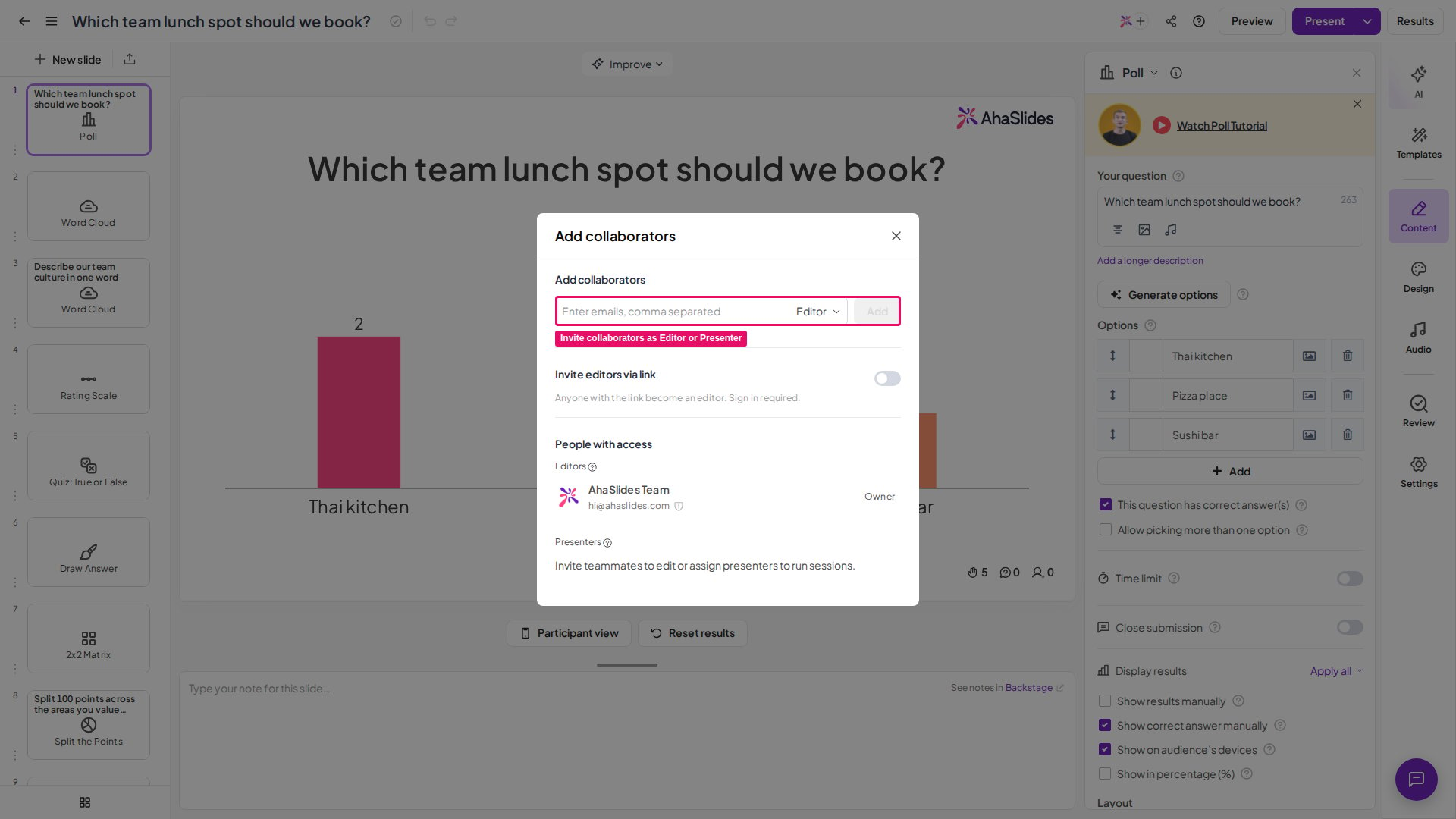
The Add collaborators dialog in the AhaSlides editor, with the email field and Editor role option highlighted
Are you looking to collaborate with other presenters? Check out How to Collaborate on Presentations.
Sign up here — it’s free! Have a question? Contact our support team — if you’re logged in, use the chat bubble in the bottom-right of your dashboard; otherwise contact us here or email hi@ahaslides.com. Want to connect with other users? Join the AhaSlides community to share tips, request features, and see how others engage their audiences.