

Short Answer at a glance
Short Answer is a quiz question type — for leaderboard, team play, and the full quiz walkthrough, see How to make and run a quiz.
Create a Short Answer slide
1
Add the slide
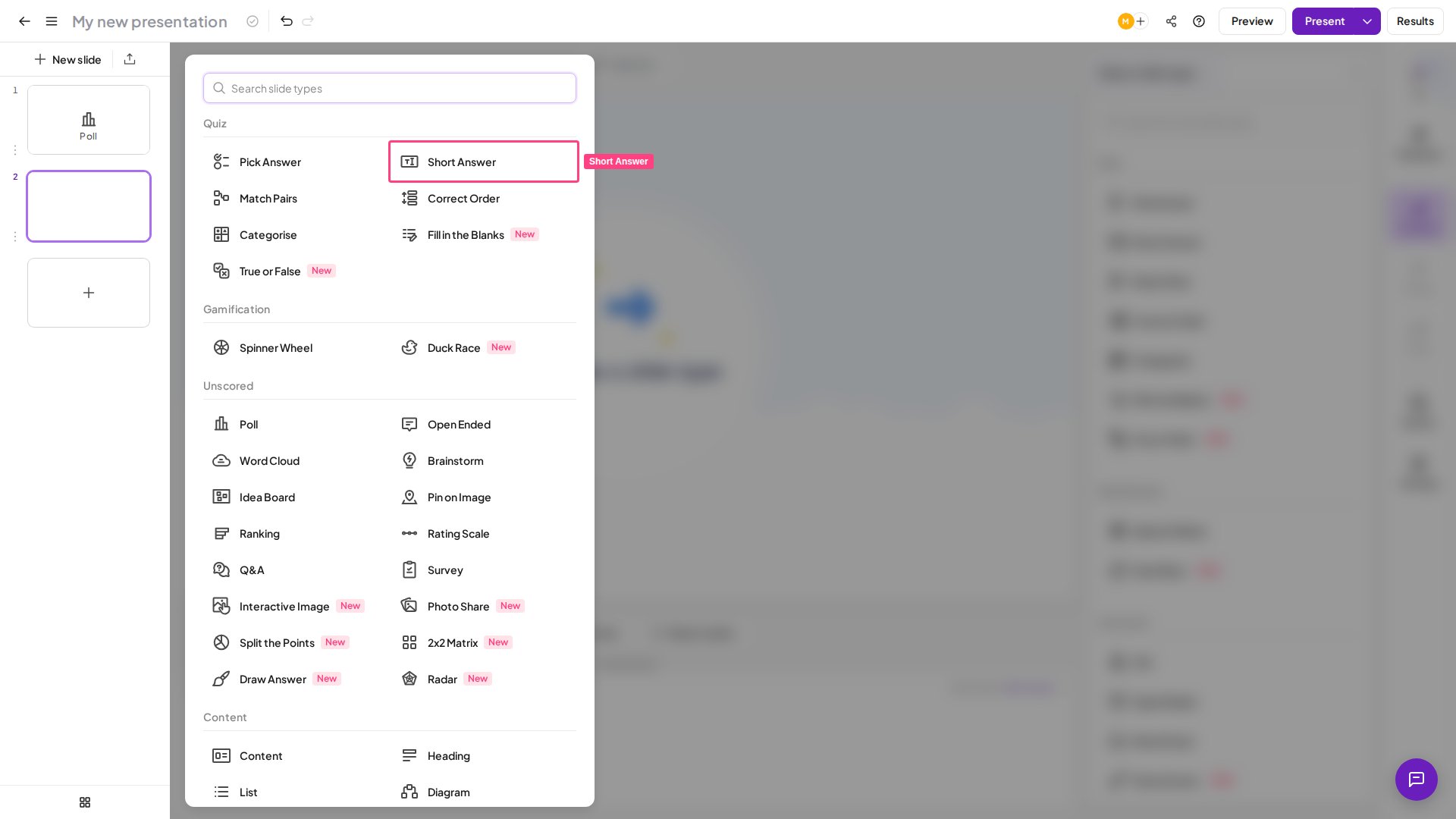
In the editor, create a new slide and select Short Answer from the Quiz section of the slide type picker.
2
Write your question
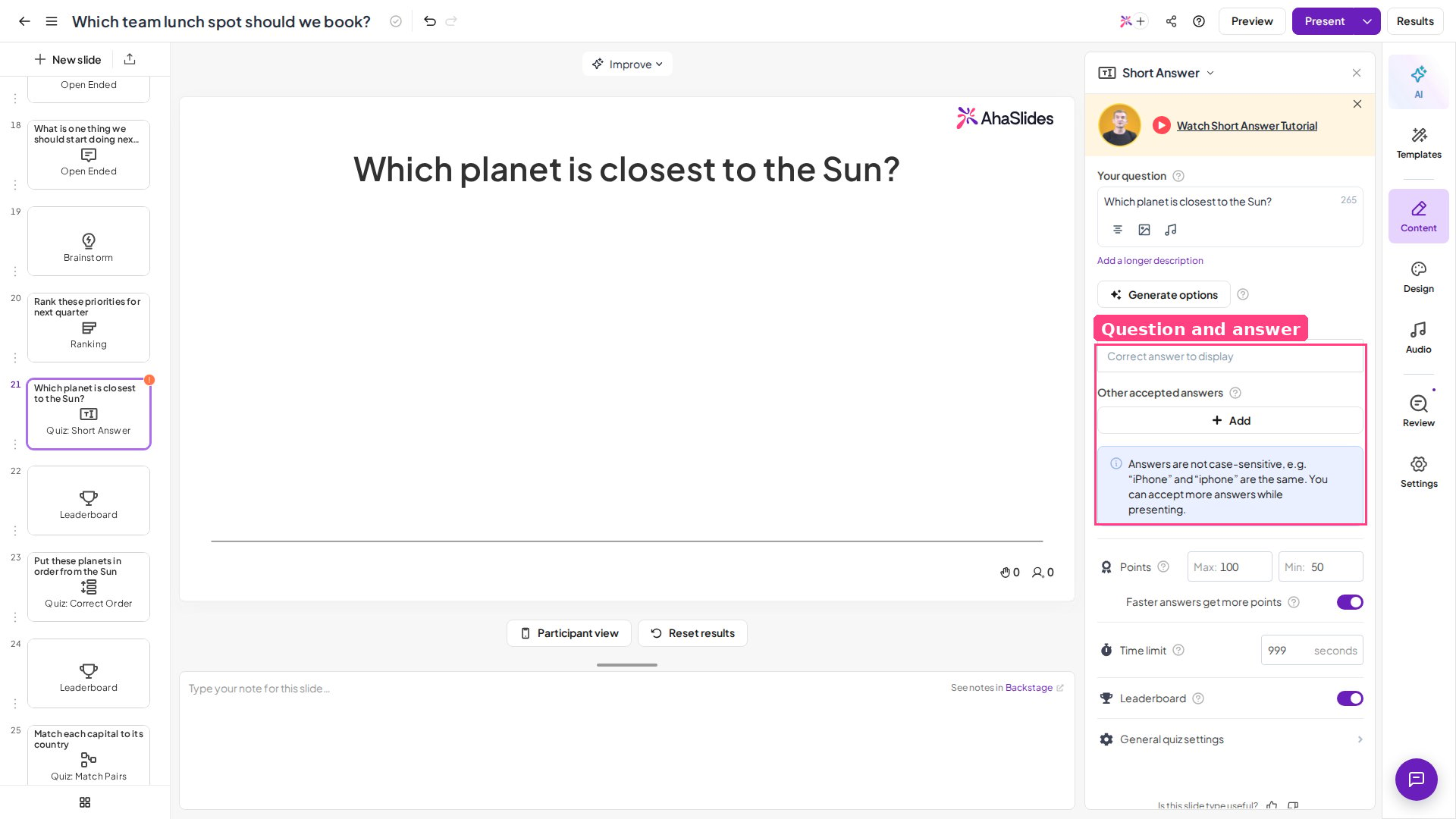
Type your question in the Your question field in the right-hand column. Ask for a short, specific answer — a single word, name, number, or short phrase works best when players are typing on a phone.
3
Add the correct answer to display
This is the main answer you accept, and the only one shown on screen when the timer is up. If a player types something that matches one of your other accepted answers instead, it still counts as correct and scores points — it just won’t be the answer displayed on the results screen.
4
Add other accepted answers
Add any alternatives besides the “correct answer to display” that you also want to mark correct and award points for. List every reasonable accepted answer — synonyms, abbreviations, and common misspellings — so you don’t have to accept them manually under time pressure.
5
Adjust the settings
Set the time, points, and other settings (see Short Answer settings).
Present a Short Answer slide
Click Preview in the top header to rehearse the slide from both the presenter and player view before going live. When you’re ready, click Present — players join at the access code, enter their name, and type their answers on their phones. When you present a Short Answer slide, every player sees the question and a text box on their device. They type their answer and submit before the timer runs out. An answer scores points if it matches the correct answer to display or any of the other accepted answers you’ve listed.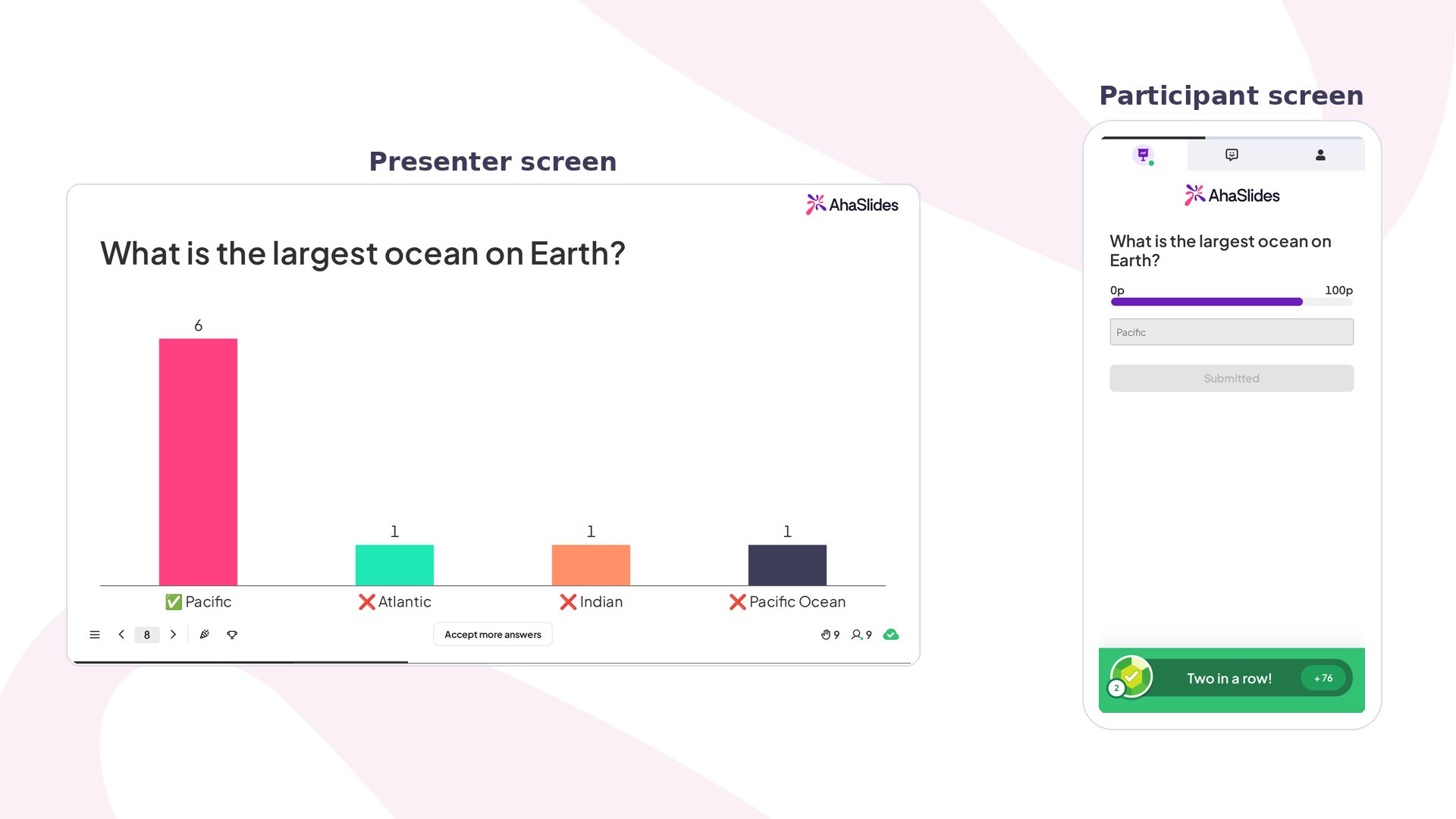
- The correct answer to display.
- Incorrect answers: if there are 4 or fewer different incorrect answers, each one is displayed; if there are 5 or more, three incorrect answers are displayed along with an other answers entry that groups together every remaining incorrect answer.
How answers are matched
When a player submits an answer, AhaSlides compares it against your correct answer to display and every other accepted answer. Before comparing, it makes four allowances:- Capitalisation is ignored —
paris,Paris, andPARISall match an accepted answer ofParis, so there is no need to list capitalisation variants. - Spaces before and after the answer are ignored, so a stray space a player types on a phone keyboard won’t cost them the point.
- Curly and straight quote marks are treated as the same character, so an apostrophe or speech mark that a phone keyboard auto-curls still matches an accepted answer typed with a plain straight one.
- Accented characters are normalised, so the same accented letter still matches when a player’s keyboard or input method produces it differently.
Dr. Smith does not match Dr Smith, and 1,000 does not match 1000. Spelling counts too — a misspelling only scores if you listed it.
Manually accept answers
Sometimes a player types an answer that doesn’t exactly match any of your accepted answers, but you still consider it correct (a synonym, an abbreviation, a typo you didn’t anticipate). You can accept these on the fly. Once the question results are shown, an Accept more answers button appears at the bottom of the slide. Click it to bring up every answer players submitted for that question.- Click the circle in the top-right corner of any answer box to accept that answer and award its points.
- Answers are grouped when identical and arranged by how many players wrote them, so the most common “technically incorrect” answers — the ones you’re most likely to accept — appear first. You can also see who entered each answer.
Short Answer settings
Because players type free text, the Short Answer slide is eligible for the profanity filter setting, which blocks banned words entered by audience members.
Ideas for using Short Answer
Classroom Recall
Spelling, vocabulary, capitals, dates, and formulas where you want genuine recall, not recognition.
Corporate Training
Confirm trainees can produce a key term or figure from memory, not just recognise it in a list.
Trivia Nights
Make rounds harder and more rewarding by removing the multiple-choice safety net.
Brand and Product Knowledge
Check that staff can name a value, feature, or policy unprompted.