

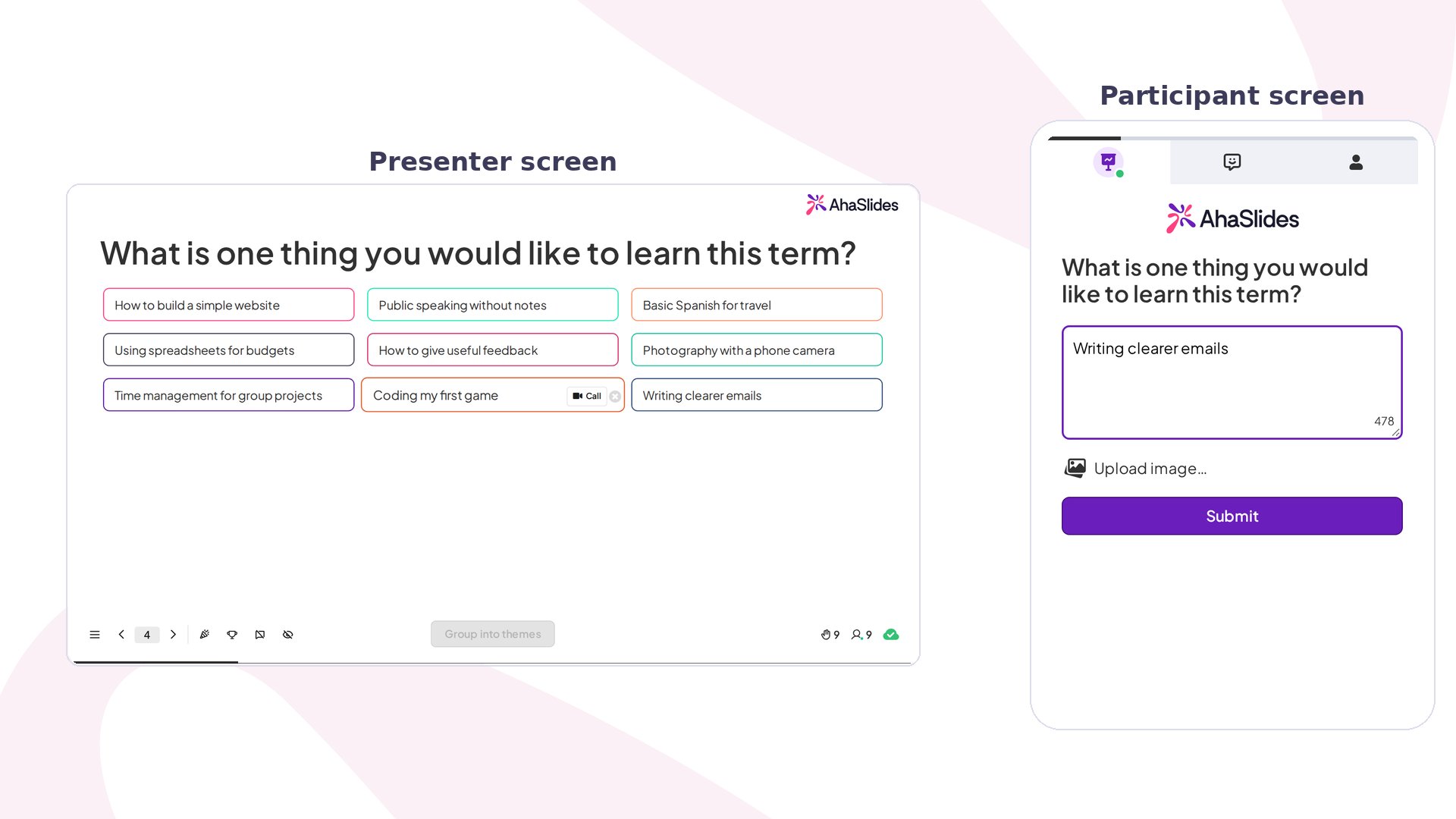
Open Ended at a glance
Open Ended questions let respondents answer in free text, so they can express their complete thoughts, feelings, and knowledge. Participants see a countdown of the characters they have left as they type, and can’t enter more than that.
Create an Open Ended slide
1
Add the slide and write your question
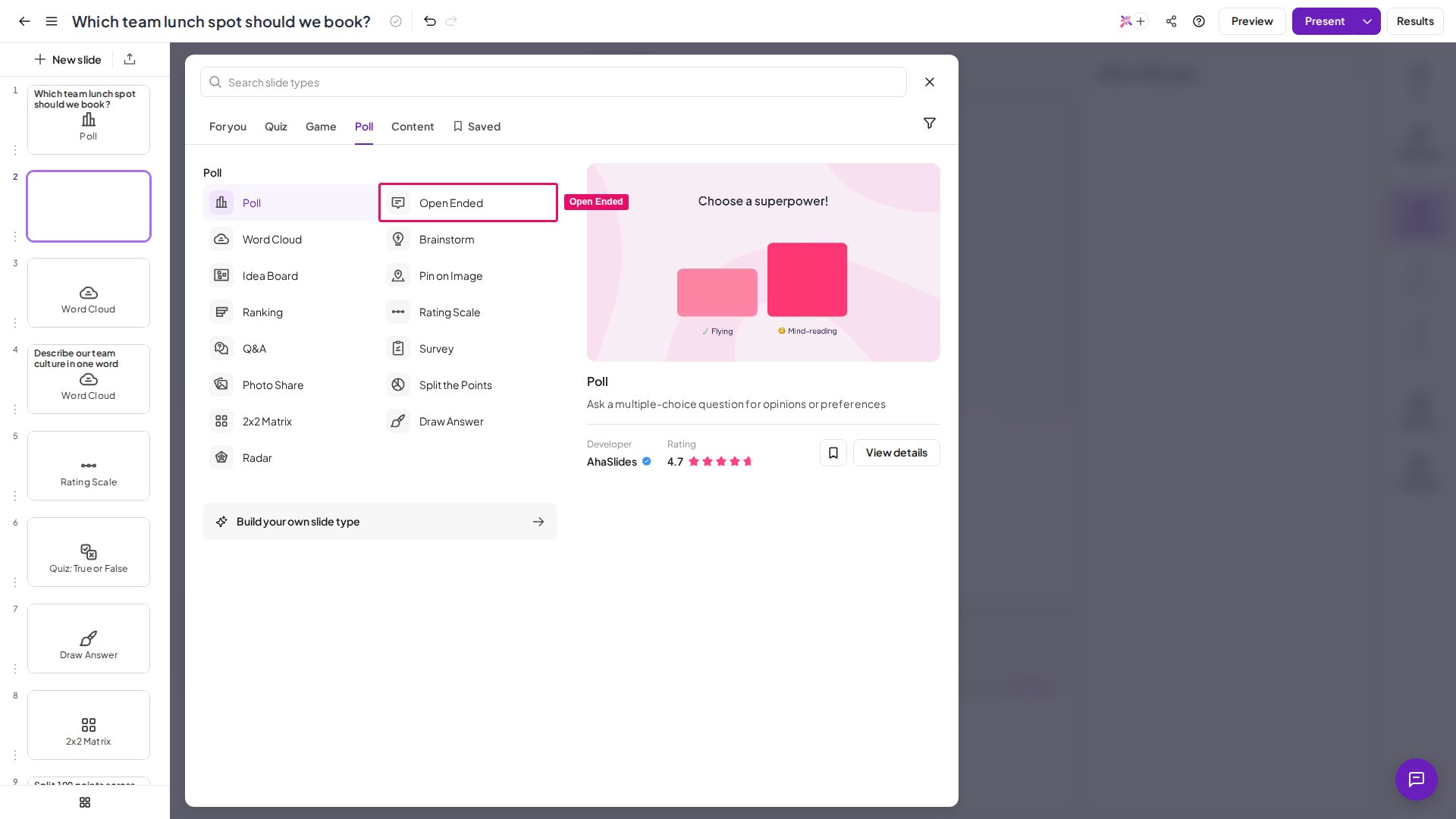
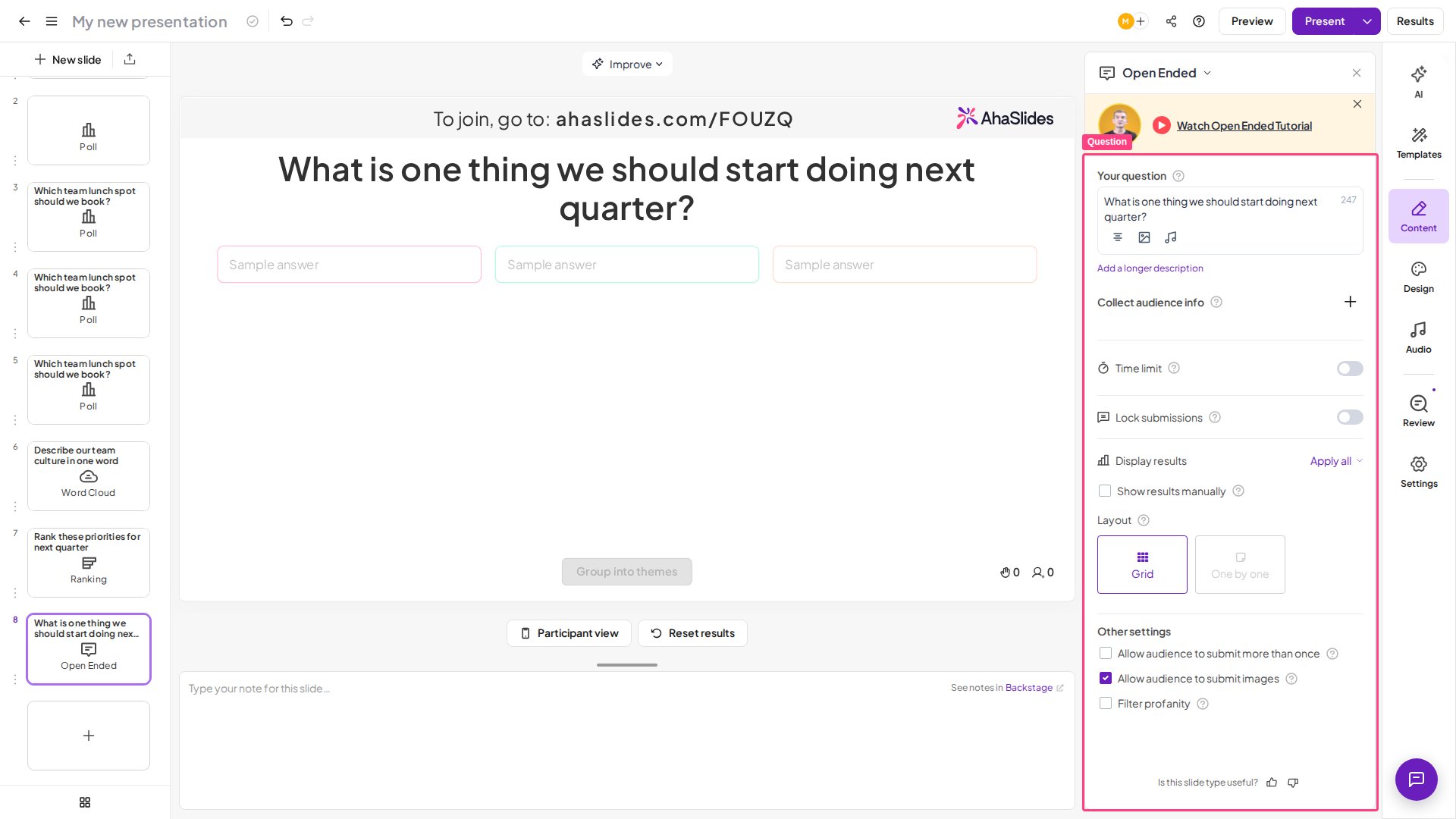
In the editor, click New slide (top-left) and select Open Ended from the slide type picker. Type your question in the Your question field on the right panel.Click into the question on the slide and a small formatting toolbar appears, with a font picker, italic, underline, strikethrough, text and highlight colours, alignment, remove formatting and a LaTeX button. There’s no bold option, and Markdown isn’t applied to the question.
2
Collect audience info (optional)
Expand Collect audience info in the right panel to add fields like name or team. This lets you see who said what alongside each response. See collecting audience information for details.
3
Choose a layout
Under Results → Layout, pick one of two display styles:
- Grid — shows all responses at once as they come in. Great for spotting patterns across a large audience.
- One by one — reveals responses individually. Useful when you want to read each answer aloud or discuss it with the room.
Submissions do not rotate automatically in the One by one layout — you move through responses manually. This keeps you in control of the pace so you can read each answer aloud or discuss it before advancing to the next one.
4
Adjust settings
Configure the toggles below (see Open Ended settings) before presenting.
- Ask a specific question — one specific enough to spark a real response. “What’s one thing you’d improve about our onboarding?” tends to get more useful answers than “What do you think?”
Present an Open Ended slide
Click Present — your audience joins on their devices, types their answers, and responses appear on your screen in real time. You can manually delete any response by clicking the × icon next to it. Participants don’t see each other’s answers on their devices; the responses appear only on your presenting screen. Unlike Poll, Open Ended has no Show on audience’s devices setting. After answering, a participant waits for your next slide, unless Multiple submissions is on, in which case they can submit another response. To reuse the slide in a future session, clear its results first.Open Ended settings
Open Ended is a Poll-type slide, and Poll and Word Cloud slides count in the same group. For any limit on how many of these you can use on the free plan, see what is included in the free account or check your My Plan page.
Group Open Ended responses with Smart Grouping
AhaSlides can automatically cluster similar responses so you can spot patterns and themes at a glance.1
Wait for submissions
While presenting, scroll to the bottom of the presenter screen once everyone has submitted.
2
Group
Click Group into themes to cluster similar responses.
3
Ungroup (optional)
The same button now reads Ungroup. Click it to return to the original responses.
Smart Grouping becomes available once the Open Ended slide has received 10 submissions, and it works once per session per slide — only group after everyone has submitted. The Open Ended slide itself supports unlimited submissions.
Export Open Ended responses
All Open Ended responses are included in your presentation’s data export. After your session, download the full set of answers as a spreadsheet — see Export data to Excel.Ideas for using Open Ended
Feedback
“What’s one thing you’d change about today’s session?” Captures specific, actionable input that a rating scale alone can’t provide.
Brainstorming
“What ideas do you have for the new product name?” Surfaces diverse ideas from the whole group simultaneously, not just the loudest voices in the room.
Icebreakers
“Describe your weekend in one word.” A low-stakes, fun opener that gets everyone participating immediately and sets an interactive tone.
Reflection
“What’s the most important thing you learned today?” Encourages active recall and gives you insight into which messages landed with your audience.