

How to run it
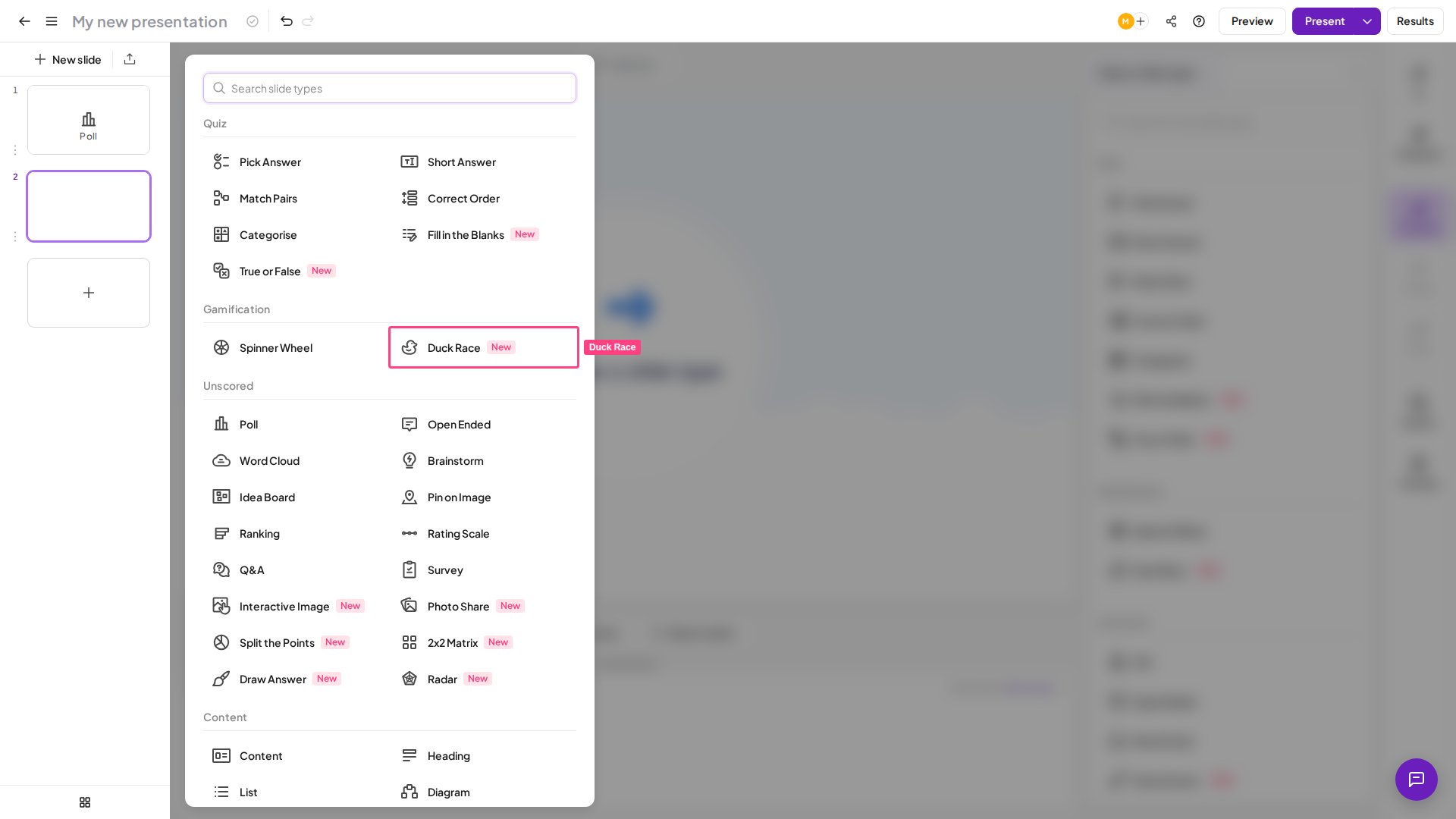
- In the editor, click New slide and choose Duck Race — it sits in the gamification group with the Spinner Wheel. A new slide is already a complete, playable race.
- Optionally set the race duration, background music, or scene theme (see the settings below).
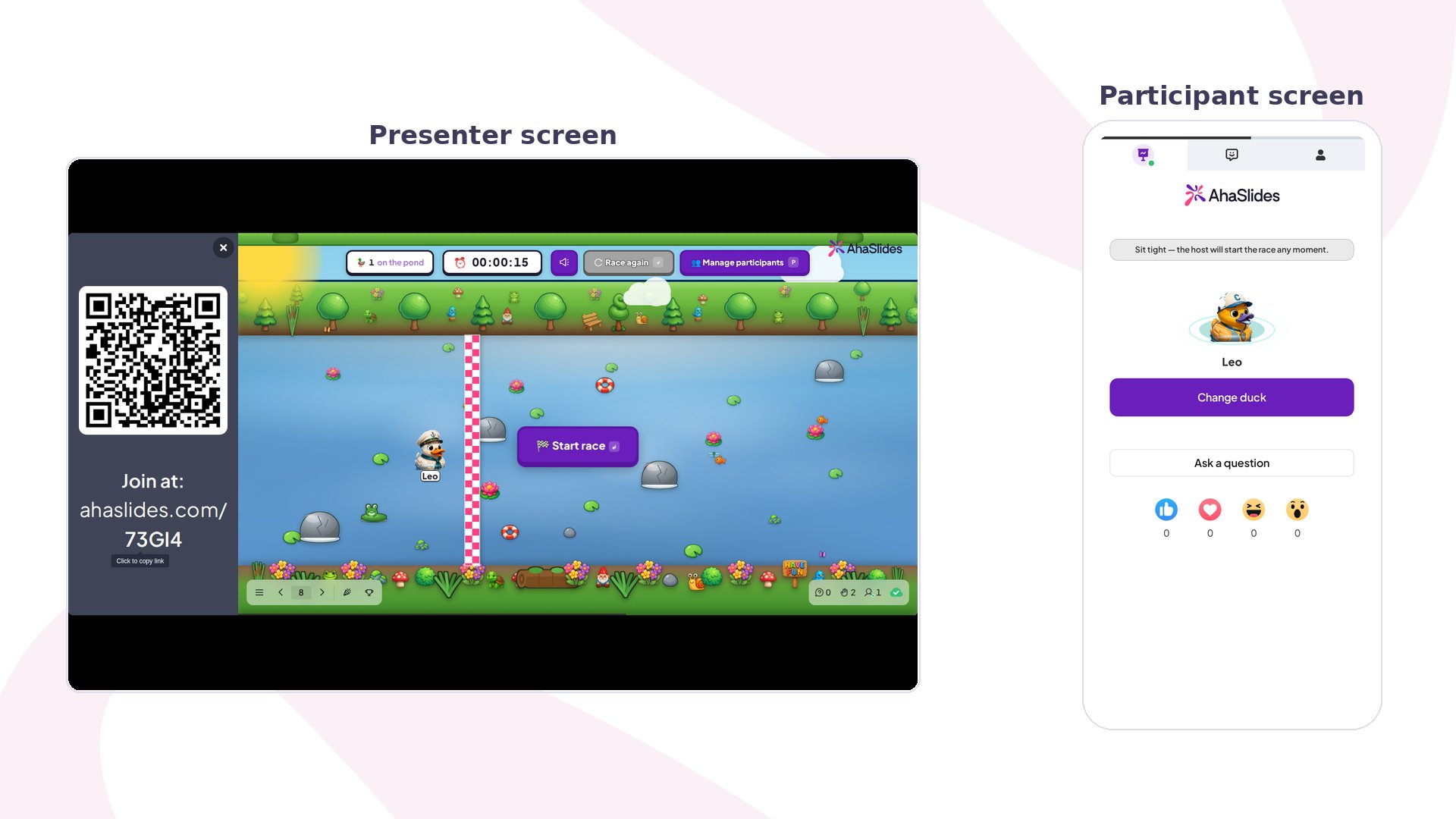
- Turn on audience joining, then click Present. Everyone who scans the join code appears as a named duck and can change their duck’s design until you start.
- Once at least one duck has joined, a Start race button appears in the middle of the pond on your presenting screen. Click it, or press Space, Enter or the right arrow key. The winner is announced on the big screen and on every phone. Use Race again for another round, or the participants panel to add or remove a racer between races.
Settings
Race duration
Race duration
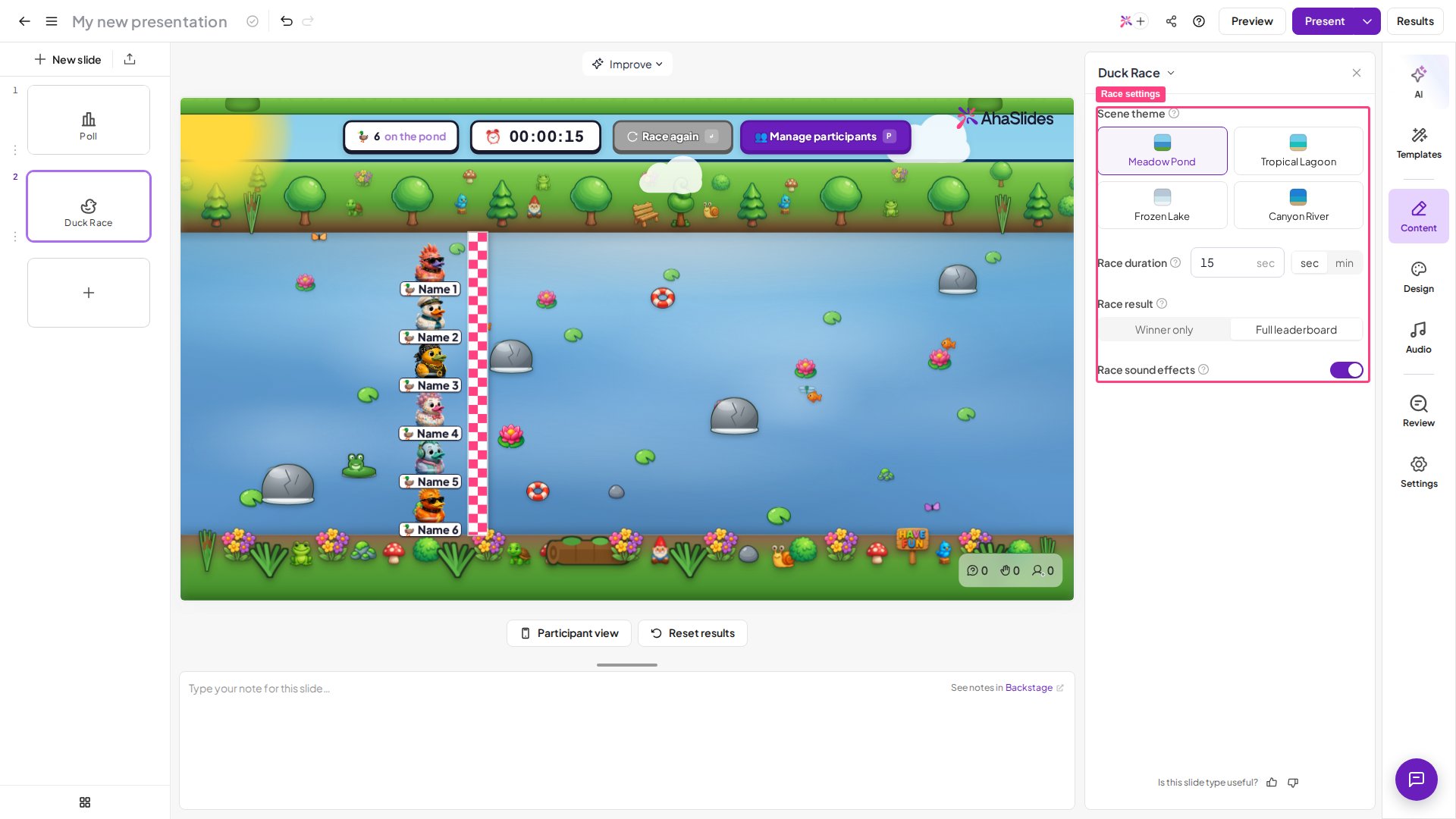
How long the race animation runs. The default is 15 seconds, adjustable from 5 to 60 seconds.
Race result
Race result
What the finish screen shows. Full leaderboard (default) shows the ranked standings of everyone who raced; Winner only announces just the winning duck.
Background music
Background music
The slide plays an upbeat race track by default. Switch it off for a silent race, or mute it from the race screen while presenting.
Scene theme
Scene theme
Changes the scenery only — a green meadow (default), a tropical lagoon, a wintry frozen scene, or a desert canyon.
Common use cases
- Random prize draws and giveaways — every attendee is already a duck, so the pond picks a winner with nothing rigged.
- Pick a volunteer or the next presenter fairly, without singling anyone out.
- Icebreakers and energisers — a quick, luck-based laugh for a room of any size.
- Celebrate the group with a no-stakes shared moment.
What Duck Race is not
- Not a scored quiz — for a graded competition, use a quiz slide.
- Not a name spinner — to spin one pre-entered name or option, use the Spinner Wheel.
- Not a poll or vote — to gather opinions, use a poll or rating scale.