

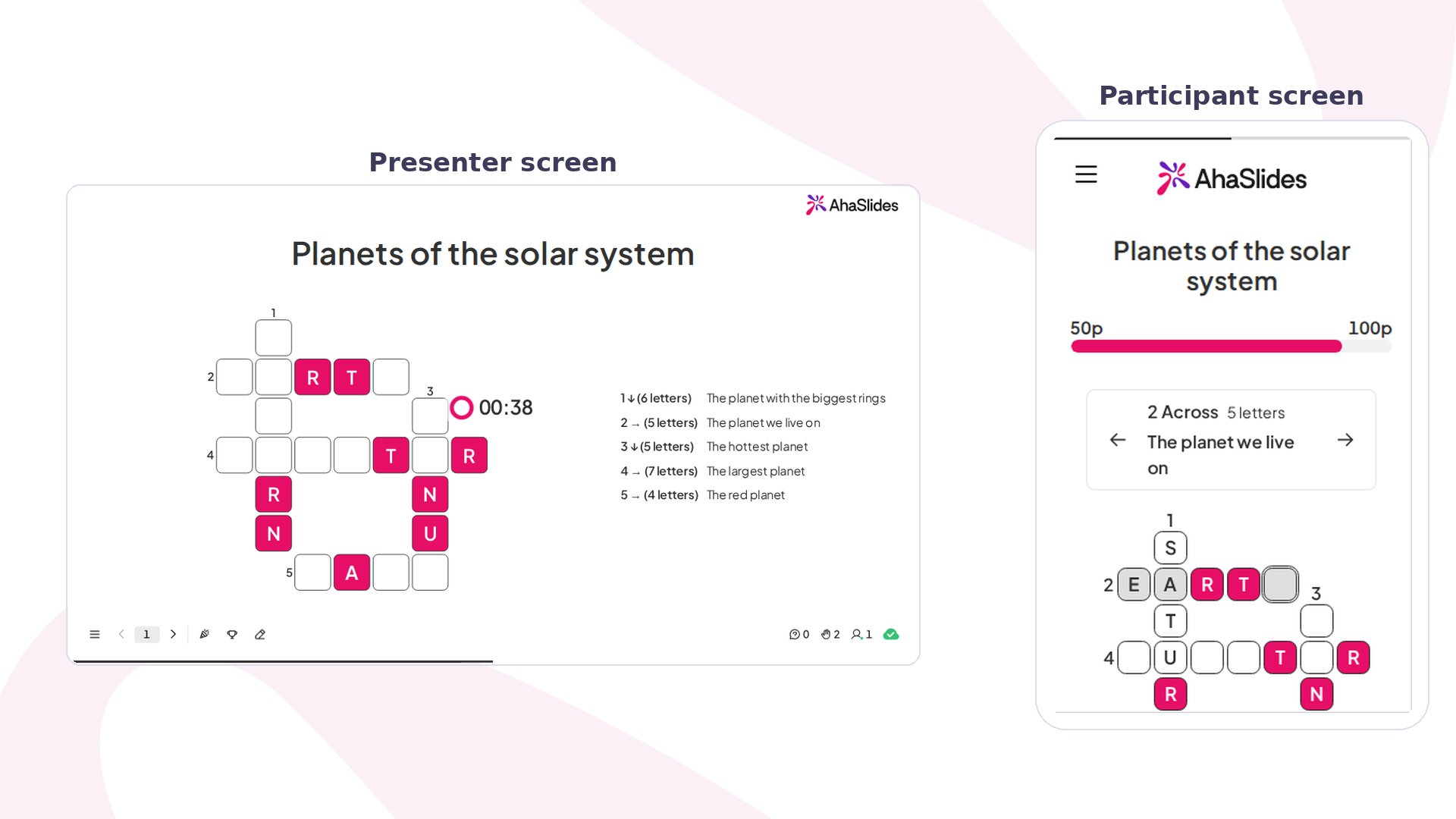
Crossword at a glance
Create a Crossword slide
1
Add the slide
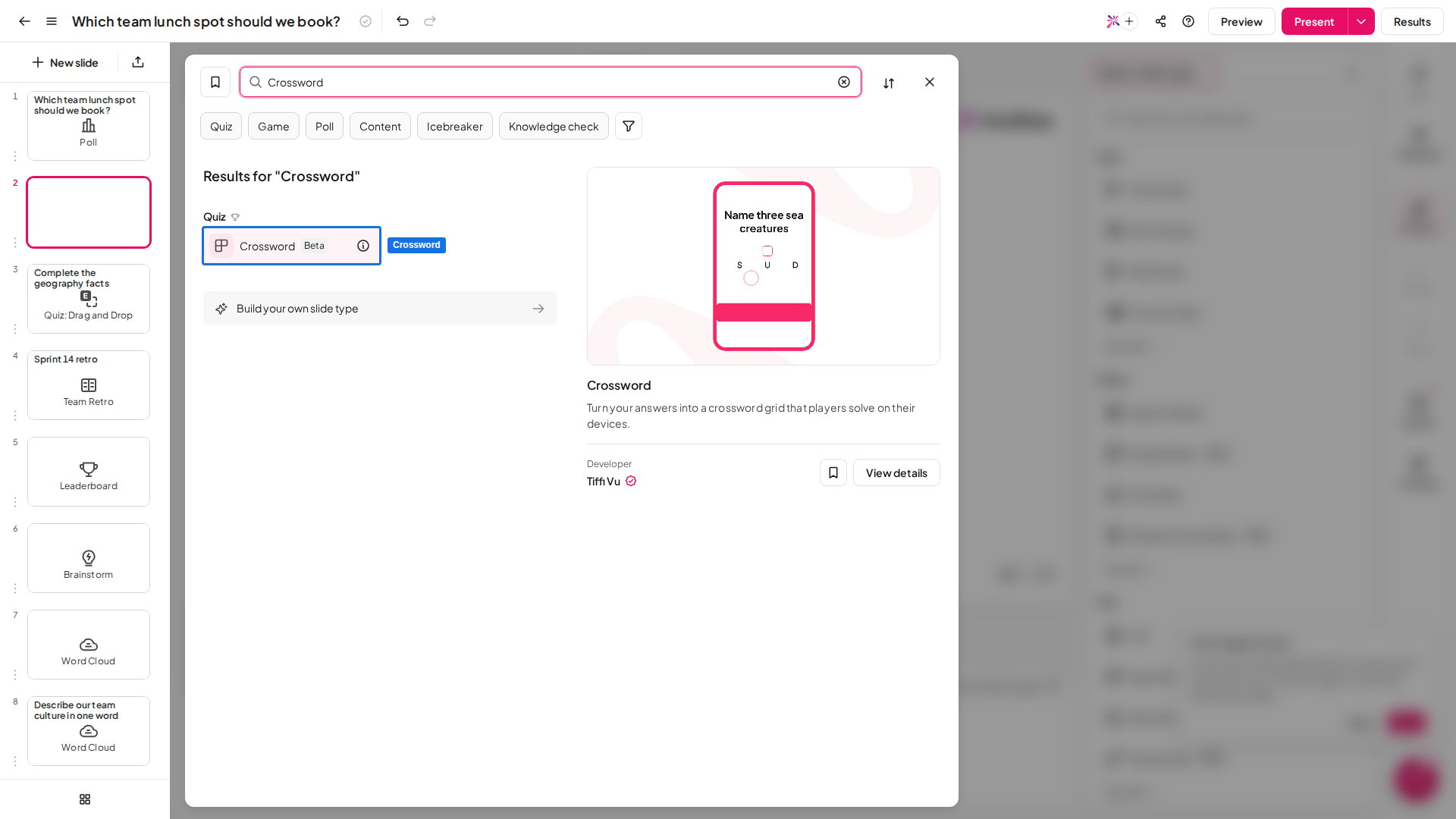
In the editor, click New slide, then search for Crossword or find it in the Quiz group. A leaderboard slide is added after it, so players see the scores once the question closes.
2
Write the question
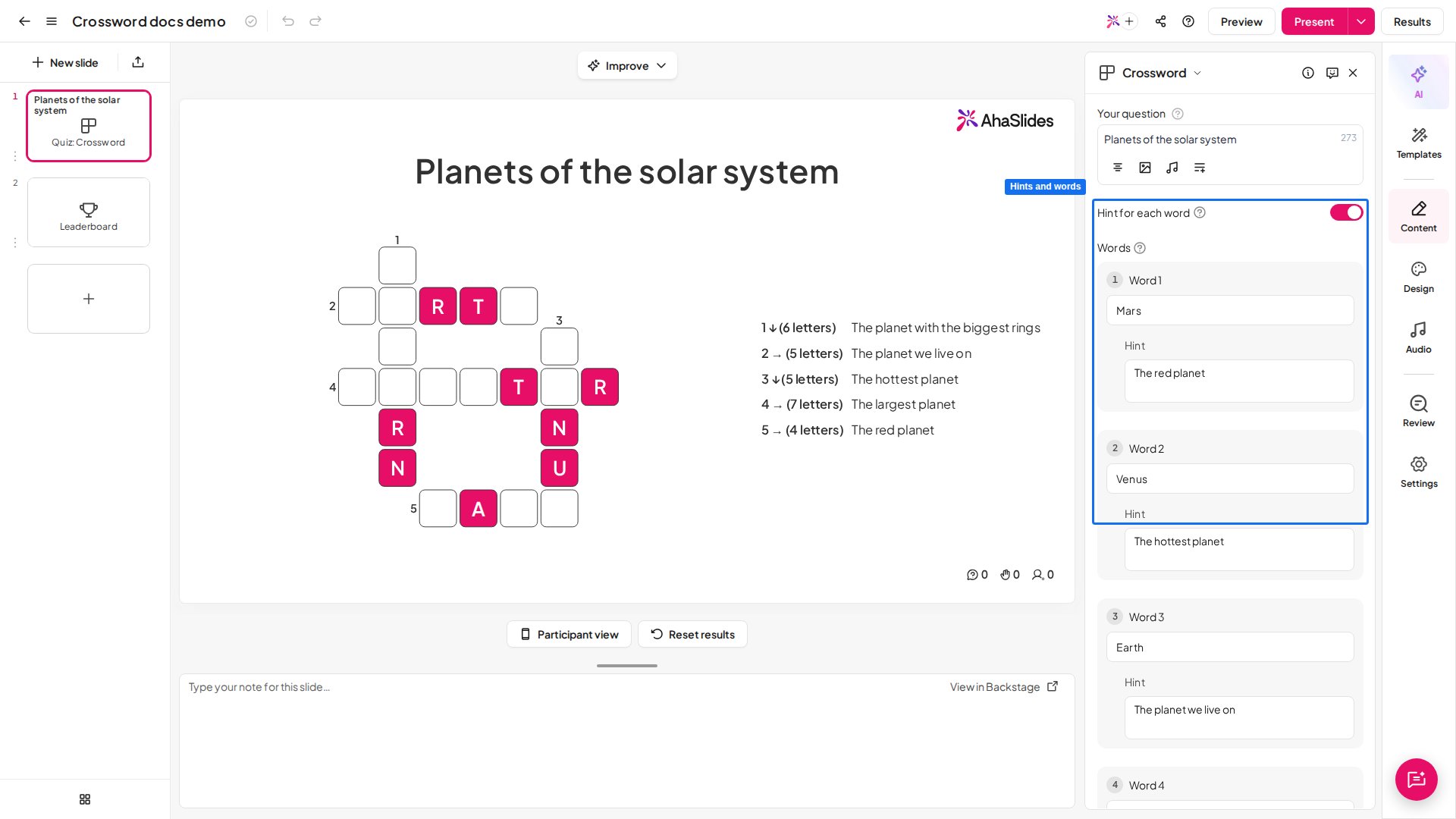
Type a title into Your question in the right panel, for example “Planets of the solar system”.
3
Add your words
Under Words, type 2 to 6 answers, for example “Mars”, “Venus” and “Earth”. Each word needs 2 to 15 letters and must be different from the others. The grid on the slide updates as you type.
4
Add a hint for each word
Turn on Hint for each word to show a hint beside each word in the grid, for example “The red planet” for “Mars”. A hint can’t include its answer. With hints off, players see only the number and length of each word.
5
Choose the scoring
Set Letters filled in at start to give players some letters for free, and decide whether Partial scoring is on. Each one is explained in Crossword settings.
Present a Crossword slide
Click Preview to try it as a player first, then Present. Participants join with the access code on screen, and you click Start to open the question. On each phone, players see the grid and tap a word to start typing. A card above the grid shows that word’s number, length and hint, with arrows to move to the next word. Letters go into the empty boxes only, and the cursor moves on to the next word when one is full. When the grid is done, players tap Submit. On your screen, the grid and the list of hints stay up while the timer runs. When the question closes, the answers are revealed with the share of players who got each word right, and the scores go to the leaderboard.Crossword settings
The leaderboard and the other scoring controls work as on every quiz slide: see quiz settings.
Ideas for using Crossword
- Vocabulary: use new words as the answers and their meanings as the hints.
- Training recap: end a session with key terms from the course, such as product names or safety steps.
- Science class: planets, animals or parts of a plant, with a short fact as each hint.
- Language class: give the hint in one language and the answer in the language being learnt.
- Warm-up: start a meeting or lesson with three easy words to get everyone on their phones.