

Personality Test at a glance
Create a Personality Test slide
1
Add the slide
In the editor, click New slide, type Personality in Search slide types and select Personality Test. The slide comes with ten statements ready to use, two for each trait.
2
Write your question
Type a title into Your question, for example “What’s your personality type?”
3
Edit the statements (optional)
Under Statements, change the wording of any statement, up to 140 characters each, or click Add statement for more. Each statement has a Trait and an Effect of agreeing: Higher on the trait or Lower on the trait. For a balanced result, keep at least one statement for each trait and mix in a few that score the other way.
4
Rename the answer choices (optional)
Under Answer scale, rename Disagree, Neutral and Agree, up to 24 characters each. Leave one blank to keep its default. Renaming a choice never changes the scoring.
Present a Personality Test slide
Click Present and share the access code. On their phones, participants answer each statement with Disagree, Neutral or Agree. Each tap moves on to the next statement, and Back returns to the previous one. After the last statement, they tap Reveal my profile. Each answer moves the participant’s score up or down a sliding scale for one of five traits: Openness to Experience, Conscientiousness, Extraversion, Agreeableness and Emotional Stability. Their strongest trait decides their type:
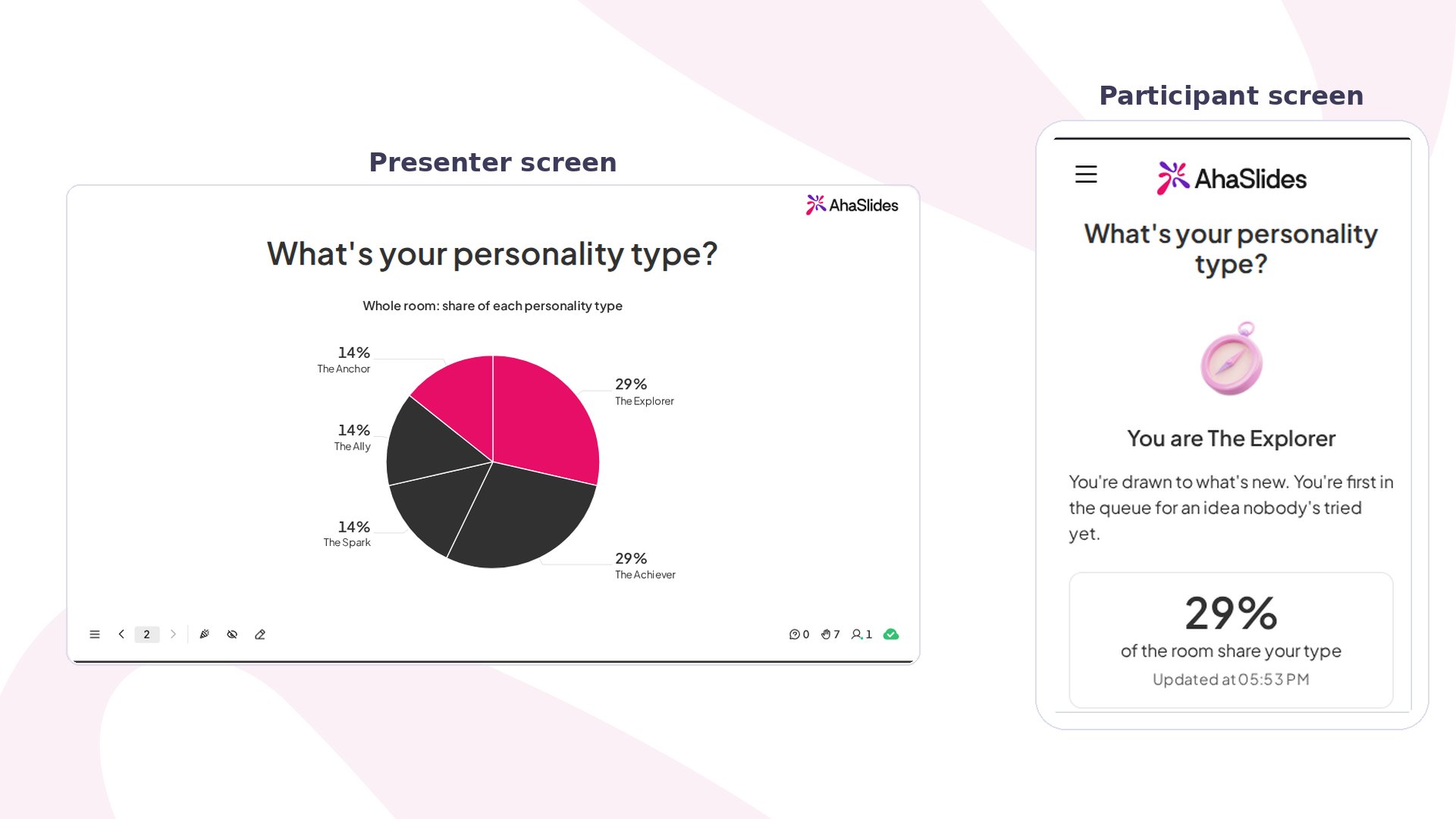
The result screen shows the participant’s type, a short description and the percentage of the room that shares their type. They can answer Does this feel like you? and tap Save result image for a card made for sharing.
Your screen shows a chart of each type’s share of the whole room, and it updates as each result arrives.
Personality Test settings
Ideas for using Personality Test
Kick-offs and new teams
Open a project kick-off with it, so a new team learns how each person likes to work.
Building balanced teams
Look at the room’s mix before you form teams, and spread each type across them.
Workshop and classroom groups
Split a workshop or a class into groups by type, or mix the types in each group.
Onboarding
Add it to an onboarding session so new starters share their result cards and break the ice.