

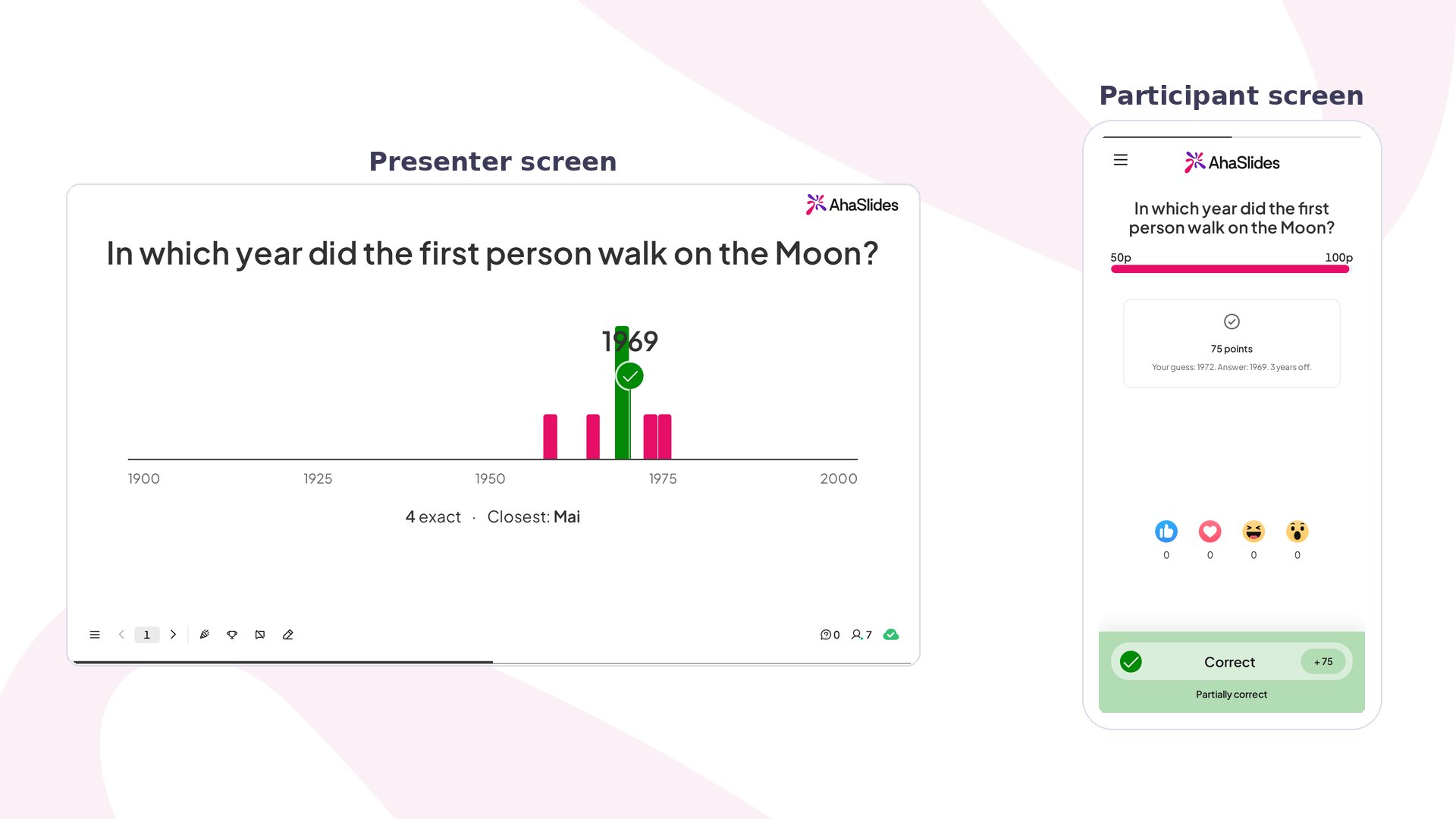
Guess the Number at a glance
Create a Guess the Number slide
1
Add the slide
In the editor, click New slide, then search for Guess the Number.
2
Write your question
In Your question, type what you want to ask, such as “In which year did the first person walk on the Moon?”.
3
Pick the answer type and the correct answer
Under Answer type, choose Number or Year, then type the Correct answer. For a number, you can add a Unit, such as people or km, shown after the number.
4
Set the range
Under Range, type where the number line starts and ends. A year always needs a range, and the answer must sit inside it. If the answer sits near the middle, you’ll see a warning, because people could guess it by aiming at the centre.
Present a Guess the Number slide
Click Preview to try it, or Present and share the access code. On their phones, participants type a guess or drag the slider, then tap Submit. Their phone shows “Your guess” until you reveal the answer. On your screen, a counter shows how many people have guessed, and the slide moves on when time runs out or you click End now. At the reveal, everyone’s guesses appear as bars along the number line, and a pin sweeps to the answer. Chips show how many people were exact and whose guess was closest. Click Skip to jump straight to the end of the animation. Each phone then shows the points earned, the answer and how far off the guess was.How Guess the Number scores
An exact guess earns full points. A close guess earns part of them:- Year: 1 year off earns 90% of the points, up to 4 years off earns 75%, and up to 10 years off earns 40%. Anything further scores 0.
- Number: a guess within 5% of the answer earns full points. Points then fall the further off it is, down to 0 at half or double the answer.
Guess the Number settings
Ideas for using Guess the Number
- Quiz night: ask for the year a film came out or the number of keys on a piano.
- Icebreaker: ask how many cups of coffee the team drank last week, then reveal the real number.
- Classroom: ask for a date in history or a fact from the lesson, such as the boiling point of water.
- Sales kick-off: let the team guess last quarter’s numbers before you share them.