

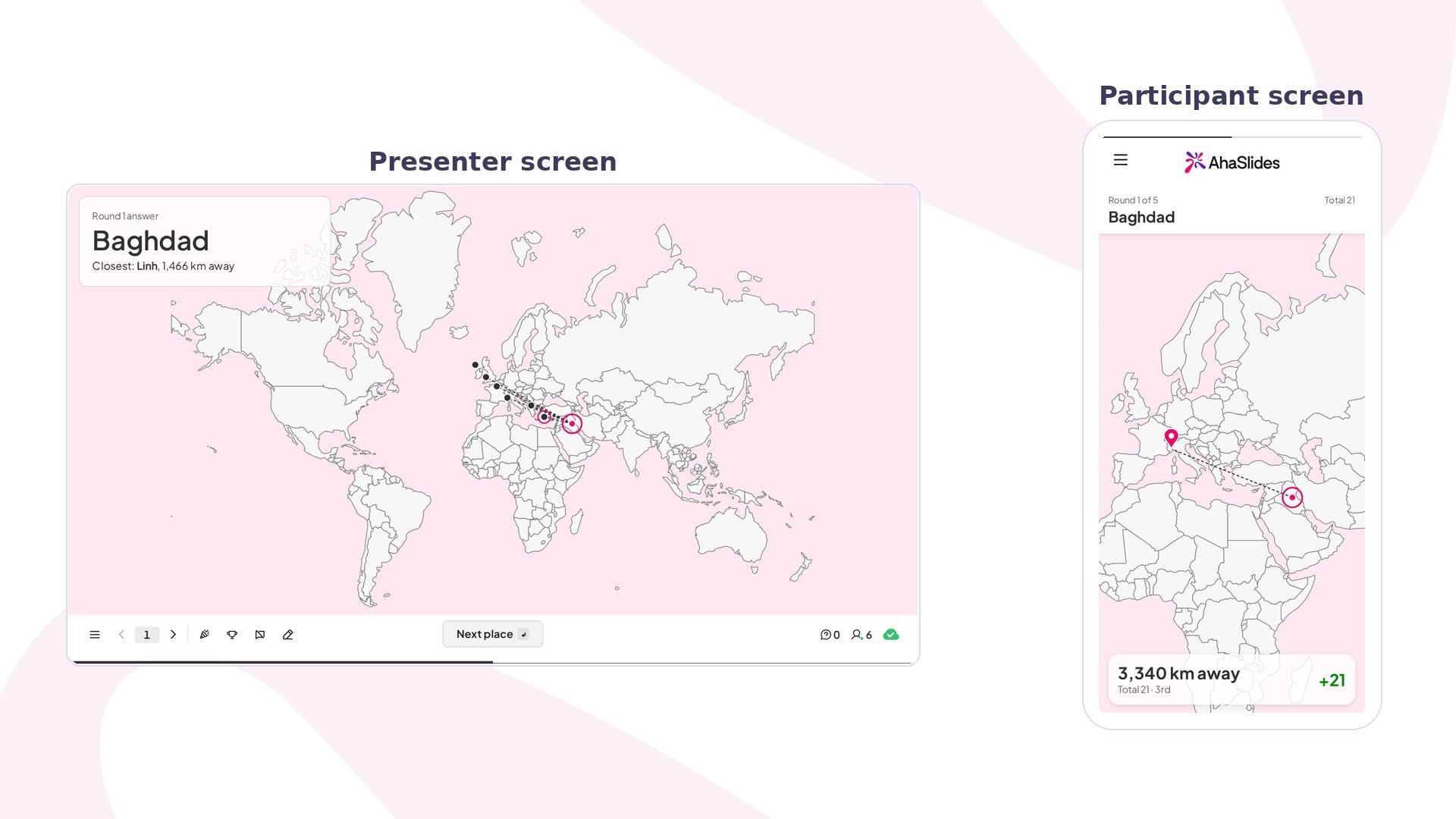
Pin on Map Quiz at a glance
Create a Pin on Map Quiz slide
1
Add the slide
In the editor, click New slide, then search for Pin on Map Quiz.
2
Pick the map
Under Map area, choose World, Continent or Country, then pick the continent or country if asked. Keep Show borders on to draw lines between countries, or between provinces on a country map.
3
Choose the places
Under Places, pick one of these:
- Random: set Places per play to 5 or 10, and choose what to Draw from: All places, Capitals, Cities or Landmarks. A new set is drawn each time you start. Random places are ready for the World, Europe and Vietnam maps. For any other map, choose your own places.
- Choose my own: search for each place with Add a place, up to 10. You can rename them, put them in order, or drag the pin on the map to the exact spot.
4
Set the time and points
Set Time per place and Most points for this slide. The points are shared evenly across the places, so 5 places give up to 200 points each when the most is 1000.
Present a Pin on Map Quiz slide
Click Preview to try it, or Present and share the access code. Players join in the lobby, then you click Start.- Each round names a place, such as “Where is this place? Baghdad”, with a clock and a count of how many people have pinned.
- On their phones, players tap the map to drop a pin, drag it to move it, then tap Submit.
- When time runs out, or you click Reveal, the map shows everyone’s pins, the real spot and the closest player, with how many km away they were. Each phone shows that player’s distance and points.
- Click Leaderboard to show the scores so far, or Next place for the next round. After the last place, click Final scores, or Play again for a new game.
How Pin on Map Quiz scores
The closer a pin lands, the more points it earns. Distance is measured against the size of the map, so a country map is as fair as the world map. With Faster answers get more points on, quicker pins earn more too. Points add to the leaderboard like other quiz slides.Pin on Map Quiz settings
Ideas for using Pin on Map Quiz
- Quiz night: run a capitals round on the world map, then a landmarks round.
- Classroom geography: choose your own places from this week’s lesson, such as rivers or cities on a country map.
- Remote team icebreaker: add the cities where your team lives and let everyone find each other.
- Travel and events: pin the venues of an upcoming trip or conference.