

Quick answers
Is AhaSlides free? Yes. A free plan is available with no time limit. Paid plans unlock higher audience limits and advanced features. Does it need an app? No. Participants join by typing a URL or scanning a QR code. No download required. Can I present from a tablet or phone? Yes. AhaSlides runs in any web browser, so you can present from a tablet or even a phone, not just a computer. For the best experience, with the most room for your presenter controls, we recommend presenting from a laptop or PC. You can also use Remote Control to advance your slides from a phone or tablet while you present. Can I edit on a phone? The AhaSlides editor is built for computer screens, so it’s best to create and edit on a laptop or desktop computer. Do I need to save my work? No. Every change you make in the editor saves automatically, whether you edit a slide, change its settings, or add, delete or reorder slides. Can I import PowerPoint slides? Yes. You can import PPT, PPTX, or PDF files and insert interactive slides in between your existing content.Why use AhaSlides?
Because 95% of professionals admit to multitasking in meetings, and most slides do nothing to stop them. AhaSlides fixes that by making every slide a moment where the audience does something:- Keep people actually listening, not checking their phones on the side
- Collect real opinions from your whole room, not just the loudest voice
- Run a quiz or icebreaker that brings energy to any session, online or in-person
- Gather feedback instantly through built-in surveys, with no follow-up email needed
How does AhaSlides work?
Three steps:- Create: Build a presentation using AhaSlides’ interactive slide types (or import your existing PowerPoint).
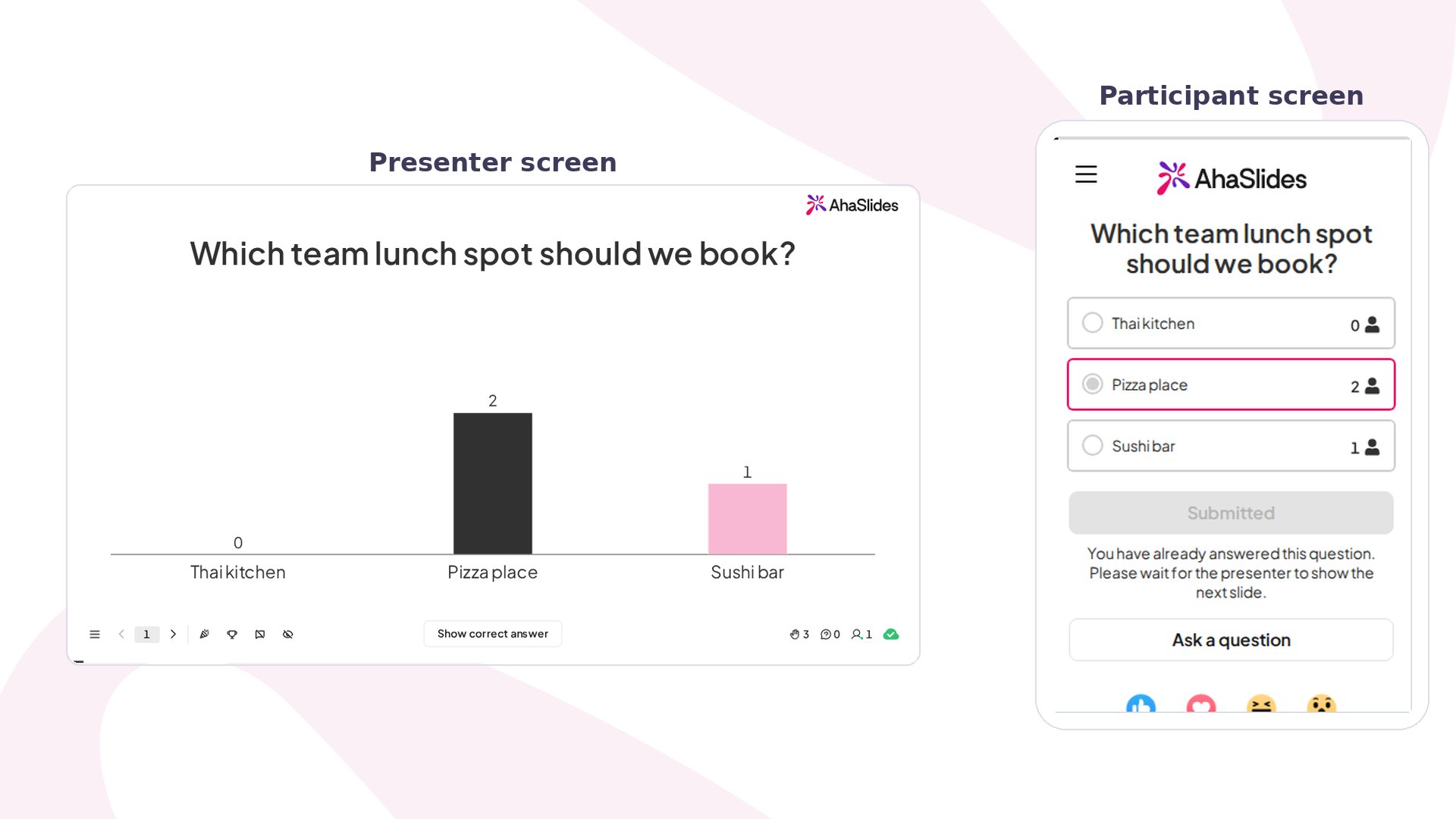
- Present: Share your presentation at your event. Participants join via a URL or QR code on any phone or tablet.
- Respond: At each interactive slide, your audience responds in real time. You see results live as they come in.
Slide types on AhaSlides
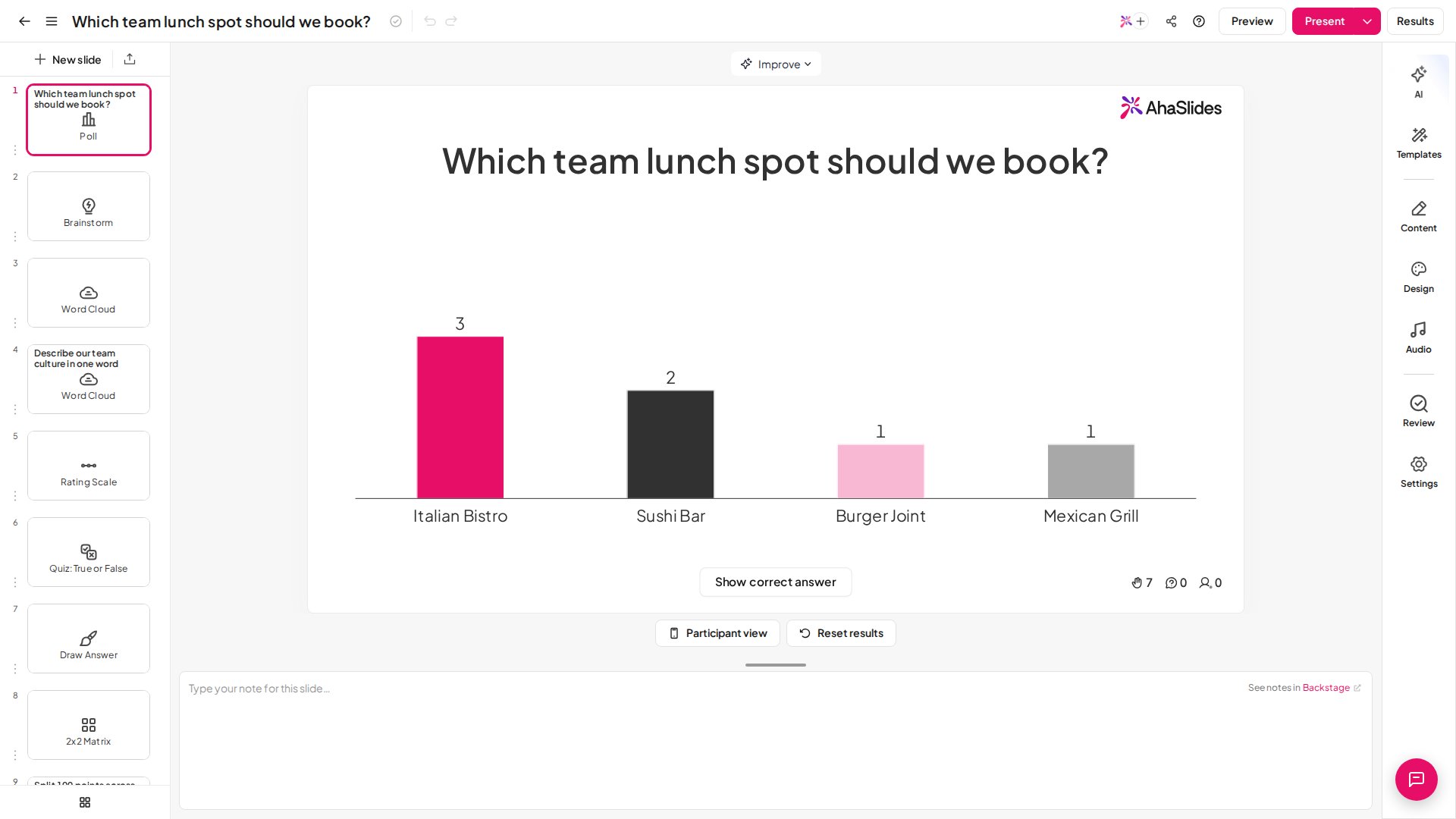
AhaSlides supports the following interactive slide types: To browse, search, filter, save and add them, see Add a slide with the slide type picker. Polling and opinion- Poll: multiple-choice vote with live bar or pie chart
- Word cloud: audience words appear and grow in a live cloud
- Open Ended: free-text responses shown as a live wall
- Brainstorm: collaborative idea collection with group voting
- Annotate: unscored image prompt, everyone marks up one shared picture from their phone
- Draw Answer: unscored drawing prompt, every sketch lands on a shared wall
- Rating scale: star or numerical ratings for feedback
- Split the Points: divide a fixed pool across options to weight the room’s priorities live
- Ranking: the audience drags options into order, and a Borda count shows the group’s priorities
- 2x2 Matrix: rate items on two axes and see the room plotted across four quadrants
- Pin on Image: participants drop a pin on your image, and every pin appears live on your screen
- Survey: a multi-question form the audience fills in live inside your presentation, or by link
- Radar: the room rates a few criteria and the averages form a live spider chart, unscored
- Personality Test: ten quick statements give everyone one of five personality types, and the room’s mix shows live, unscored
- Team Retro: a sprint retrospective on one slide: ideas, group, vote and action items, unscored
- Pick Answer: scored multiple-choice question with a countdown timer
- True or False: one statement, two cards; the room votes and the correct side scores
- Short Answer: participants type the correct answer
- Fill in the Blanks: a sentence with gaps the room completes by typing or picking from a dropdown
- Drag and Drop: a sentence with blanks the room fills by dragging or tapping answer tiles, decoys included
- Correct order: arrange items in the right sequence
- Match pairs: link items from two columns
- Categorise: sort items into the right categories
- Pin on Image Quiz: participants pin the right spot on your image, and pins inside the correct area score
- Spinner wheel: random picker for icebreakers and selections
- Duck Race: luck-based race where everyone becomes a duck and one wins, nothing scored
- Halloween Race: fright-night race where everyone picks a spooky racer and luck picks the winner, nothing scored
- Pumpkin Head Swap: Halloween dance floor where dancers swap pumpkin heads to music and a spotlight picks who is chosen, nothing scored
- Escape Room: players race through picture rooms of hidden quiz clues to open the Final Door, ranked by escape time
- Q&A: participants submit questions; you upvote and answer live
- Idea board: structured brainstorm with sticky-note cards
- Calm: a slow breathing circle and soft sound that settle the room together, nothing scored
- Content slide: static text, images, or video (acts as a title or break slide)
- YouTube slide: play a video in your presentation with audience reactions
- Interactive Image: pin notes to spots on an image; the audience taps to read at their own pace, unscored
- Photo Share: the audience sends photos from their phones onto a live wall, carousel, or Ken Burns show, unscored
- Content v2: polished slides built from ready-made layouts or text, media, and data blocks
- Diagram: flowcharts, org charts, timelines, and data charts built inside the slide
- Embed: bring an external website or tool into your slide with a URL or embed code
- Google Slides: present a published Google Slides deck inside your AhaSlides presentation
AhaSlides as a quiz tool
With AhaSlides, you can build a scored quiz using quiz slide types. Participants compete to answer correctly before the timer runs out. At the end, a leaderboard announces the winner.See the full guide: How to make and run a quiz.Coming from Kahoot? See AhaSlides vs Kahoot.
Who uses AhaSlides?
Teachers and educators
Engage students with polls, word clouds, and quizzes in live, remote, or hybrid classrooms. Gather understanding checks before teaching a topic, or run a fun end-of-lesson quiz.Team leaders and HR managers
Bring quieter voices into meetings. An icebreaker poll, a live Q&A, or a quick word cloud makes remote meetings feel less like a lecture and more like a conversation.Trainers and facilitators
Import your training deck, add thinking activities between slides, and close with a rating scale for instant feedback, all without switching tools.Integrations
AhaSlides connects with the tools you already use:Start for free
Ready to run your first interactive presentation? Create your free AhaSlides account. No credit card, no time limit. Comparing tools? See AhaSlides vs Kahoot, AhaSlides vs Mentimeter, AhaSlides vs Wayground, AhaSlides vs Slido, AhaSlides vs Wooclap and AhaSlides vs ClassPoint.Next step: Creating your AhaSlides accountHave a question? Contact our support team — if you’re logged in, use the chat bubble in the bottom-right of your dashboard; otherwise contact us here or email hi@ahaslides.com. Want to connect with other users? Join the AhaSlides community to share tips, request features, and see how others engage their audiences.